What it's for
You didn't lose money because the chart was wrong. You lost it because the position was a guess, and the stop you meant to put on was still in your head three hours later.
The Portfolio Execution Terminal is built for cash equities and swing trading on NSE and BSE — days to months — and its whole job is to make the boring part automatic: size it properly, get the order out clean, and have the level watched whether or not you're at the screen.
It is worth being clear about the boundary, because FNOTrader runs seven apps and the names are close. Multi-leg options analysis and execution are in Options Analytics and the QuikTrade Terminal. F&O strategy automation and backtesting are in Algo & Backtest. This app does not do those things, and pointing you at the right one is more useful than pretending otherwise.
What it is good at is the unglamorous part: sizing a position consistently, getting the order out without fumbling the fields, and having the stop actually watched once you walk away.
The twelve surfaces
| Tab | What it is for |
|---|---|
| Basket | Stage a group of orders and review them together before anything is sent. |
| Positions | Today's open positions, as a data table or a grid of charts. |
| Holdings | Longer-term delivery holdings, with order history per name. |
| Orders | A live mirror of every order at the broker today, with status. |
| Analytics | Win rate, profit factor, average winner and loser, streaks and allocation. |
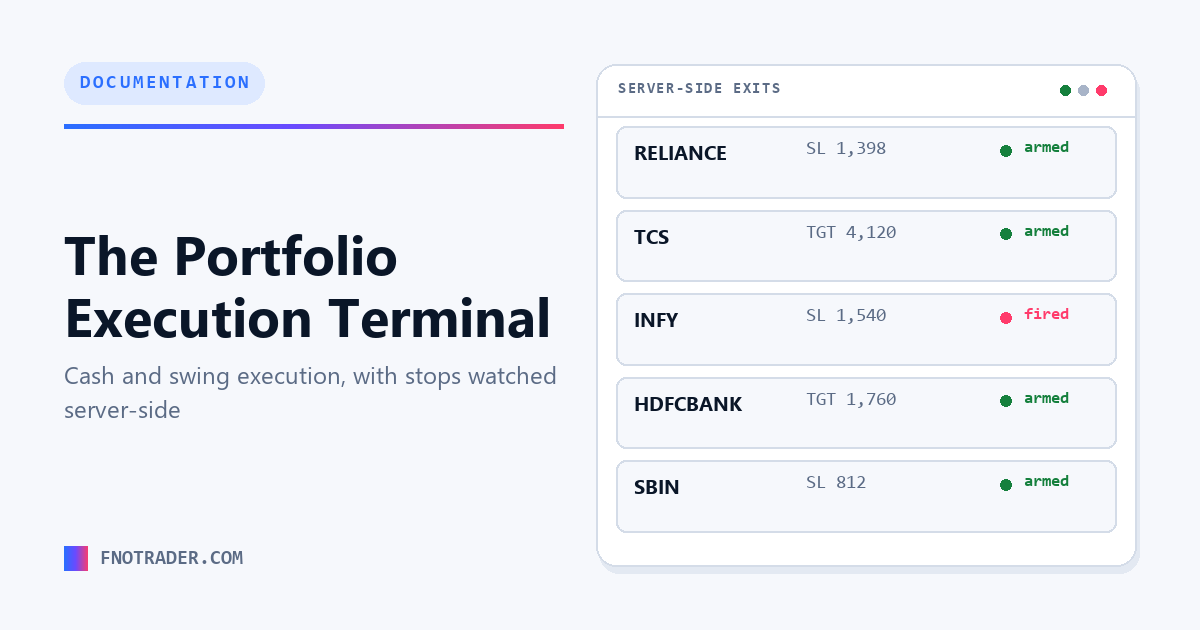
| Monitoring | Which stop-loss and target levels are being watched, and which have fired. |
| Chart | Single or split view — one symbol at two timeframes, or two symbols side by side. |
| Funds | Available, used and net capital, with T+1 money kept separate. |
| Brokers | Connect accounts and switch which one an order routes to. |
| Copier | Mirror orders from one account to others at a size multiplier. |
| Logs | Activity feed and audit trail of what the app did and when. |
| Alerts | Price and indicator triggers that can notify, or place an order. |
The order ticket
The ticket is built to be filled quickly without leaving the decisions implicit:
- Exchange routing. A stock listed on both NSE and BSE can be routed to whichever is showing the better price, rather than defaulting to one out of habit.
- Buffer percentage. Rather than sending a market order and accepting whatever comes back, a buffer sets a limit a defined distance from the touch — you cap the worst fill you are willing to take.
- Margin preview. The requirement is shown before submission, so an order that cannot be funded is visible as such rather than as a broker rejection.
- Depth. The book at the time of the decision, alongside the ticket.
The Basket tab extends this to several symbols at once: stage everything, see the combined margin, then send as a batch. It is the difference between placing six orders and placing one considered allocation.
Stop-loss and target monitoring
This is the part that most distinguishes a terminal from a broker's order window, and the part worth understanding before relying on it.
When a stop-loss or target is attached to a position, it is watched server-side — not by a script in the browser tab. Closing the laptop does not stop the level being watched. When a level is breached the app sends a protective limit order rather than a market order, so a thin book cannot fill you at an arbitrary price.
The Monitoring tab is the honest answer to "is my stop actually live?" It lists every level currently armed, per symbol, and shows which have fired. That question is the reason the tab exists — a stop you believe is set and is not is worse than no stop, because you have sized the position as though it were there.
Stop-loss re-entry is available where a strategy wants it: after a stop-out, re-enter up to a set number of attempts, rather than either abandoning the idea or re-entering indefinitely.
Alerts that can act
An alert is a condition on price or an indicator. It can chime, send to Telegram, hit a webhook, write to the log — and it can place an order.
That last one is the useful case: "when this crosses that level, buy this quantity with my buffer and a stop attached." The order goes out when the level trips, whether or not you are at the screen. It is a way of pre-committing to a plan made calmly, which is the point.
An alert has to be armed to be live. This is deliberate friction — an alert that places orders should not go live by being saved.
Capital, and the T+1 distinction
The Funds tab answers three questions before you size anything: what can be deployed now, what is already committed, and how today is going.
The distinction that matters is T+1. Money from a sale is not spendable until it settles, and a terminal that shows one blended balance invites over-deployment against cash that has not arrived. Available and settling capital are shown separately for that reason.
Performance is reported both as return on capital deployed and return on total capital, which are different questions — a strategy can look excellent on deployed capital while leaving most of the account idle.
Brokers and copying
Connect any Indian stock broker — all major brokers, 100+ supported. Orders route to whichever connected account you select per trade, so several accounts can be run from one screen without logging in and out. Don't see your broker? Send us a message — we'll add it.
The Copier mirrors orders from a leader account to followers at a size multiplier you set. Two common uses: running a small and a large account in step, or running a paper account alongside a real one to compare what actually filled against what was intended.
Who each part is for
| Horizon | What tends to get used |
|---|---|
| Long-term investor months to years |
Holdings, Funds for allocation, Analytics for allocation drift. Monitoring matters less. |
| Swing / positional days to weeks |
Basket for entries, server-side stops, Alerts to catch levels while away, Chart for review. |
| Intraday minutes to hours |
Order ticket speed, depth, Positions, Monitoring, and buffer control on fills. |
Most accounts use two of these at once, which is why the tabs are one click apart rather than in separate modes.
Watchlists across apps
Watchlists sync across FNOTrader apps. The Stocks scanner is the owner of record — a name found by a screen there appears here without being retyped, which is the intended path from idea to order.
Holdings and positions are also snapshotted back to the scanner periodically during the session and at the close, so a screen can be run against what you actually hold.
Getting started
An account covers all seven FNOTrader apps through one login, and every plan starts with a 7-day free trial with no card required. The Portfolio Execution Terminal is ₹499/mo, or ₹249 for a 7-day pass; the all-apps Combo (excluding Algo, Add-ons and AI Backtesting) is ₹1,499/mo. Prices exclude 18% GST — see current pricing.
Terms used above are defined in the glossary. Free position-sizing and risk calculators are on the tools page, no login required.
Common questions
Does the Portfolio Execution Terminal handle options?
No. It is built for cash equities and swing trading on NSE and BSE. Multi-leg options analysis and execution are in FNOTrader's Options Analytics and QuikTrade Terminal apps, and F&O strategy automation and backtesting are in Algo & Backtest.
Do stop-losses keep working if I close the browser?
Yes. Stop-loss and target levels are watched server-side rather than by the browser tab, so closing the laptop does not stop them being monitored. The Monitoring tab lists every level currently armed and which have fired.
Does it place market orders when a stop is hit?
No. When a level is breached the app sends a protective limit order rather than a market order, so a thin order book cannot produce an arbitrary fill.
Which brokers does it work with?
Any Indian stock broker — all major brokers, 100+ supported. Orders route to whichever connected account you select per trade, so multiple accounts can be operated from one screen. If your broker is not listed, send us a message and we'll add it.
What is the buffer percentage on the order ticket?
A buffer sets a limit price a defined distance from the current touch instead of sending a market order. It caps the worst fill you are willing to accept, which matters most in fast or thin markets.
Can an alert place an order automatically?
Yes. An alert can chime, send to Telegram, call a webhook, write to the log, or place an order with your buffer and stop attached when the condition trips. Alerts must be explicitly armed before they are live.
Why are available funds and T+1 funds shown separately?
Money from a sale is not spendable until it settles. Showing one blended balance invites deploying capital that has not actually arrived, so settled and settling amounts are kept apart.
What does the Copier do?
It mirrors orders placed on a leader account to follower accounts at a size multiplier you set — used to run a small and a large account in step, or to run a paper account alongside a real one for comparison.
Do watchlists sync with the stocks scanner?
Yes. The Stocks scanner is the owner of record for watchlists and the Portfolio Execution Terminal mirrors them, so a name found by a screen appears in the terminal without being retyped.
How much does the Portfolio Execution Terminal cost?
₹499 per month or ₹249 for a 7-day pass, excluding 18% GST. It is also included in the ₹1,499/mo all-apps Combo (which excludes Algo, Add-ons and AI Backtesting). Every plan starts with a 7-day free trial, no card required.
Related
App: Portfolio Execution Terminal · Screening: how to screen Indian stocks · Definitions: glossary · More: all articles