● Video guides · English & हिंदी

Learn FNOTrader on the real screens

Short, step-by-step videos of the actual apps — every one in English and Hindi, with English subtitles. Pick a series, press play, switch language any time.

Options

Options Analytics Tutorials

How to use the Options app on real screens — rules-based workflows and in-depth guides to the analytics. · 1 video, English & हिंदी

How to sell options — the complete 8-step seller workflow115:32
How to sell options — the complete 8-step seller workflowPrice structure, option-chain buildup in all four quadrants, rolling ATM straddle decay, fixed-strike straddles, Gamma Exposure, events, breadth and the Terminal — on a live SENSEX expiry day. Not a recommendation.
Options

Gamma Exposure (GEX) for Option Sellers

The GEX dashboard read from a seller's point of view — what kind of day it is going to be, before you sell. · 3 videos, English (हिंदी coming soon)

Part 1 · Read the summary strip14:30
Part 1 · Read the summary stripTen seconds before any sale: regime, zero-gamma flip, call and put walls and today's flow.
Part 2 · The strike charts map24:07
Part 2 · The strike charts mapWhere every level on the strip comes from — walls, the flip and the magnets.
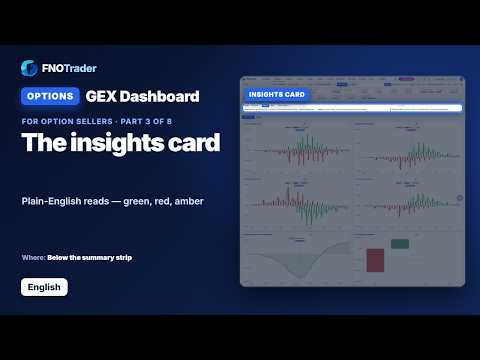
Part 3 · The insights card34:07
Part 3 · The insights cardPlain-English reads on the GEX, DEX and Vanna & Charm tabs — green, red and amber.
Trade Copier

Trade Copier — step by step

Trade once in your leader account; every follower account copies it at its own size, across 100+ brokers. · 7 videos, English & हिंदी

Step 1 · Broker & account setup15:31
Step 1 · Broker & account setupConnect brokers, add accounts from the dropdown, and set the risk guards.
Step 2 · Copy trade setup29:38
Step 2 · Copy trade setupGroups, followers, sizing, order controls, filters and timings.
Changing the multiplier during the day32:47
Changing the multiplier during the dayA worked sizing example: what happens to open positions when a follower's multiplier changes.
Step 3 · Switch copying on43:04
Step 3 · Switch copying onThe master, group and follower switches — all ON, and copying starts.
Step 4 · Watch it live52:41
Step 4 · Watch it liveStatus Dashboard and Account Dashboard — every copy as it happens.
Step 5 · Results62:55
Step 5 · ResultsP&L, the trade journal, copy analytics and Check Positions.
Step 6 · Control & alerts72:42
Step 6 · Control & alertsNews blackouts, holidays, engine settings and alerts.

Educational content only. FNOTrader is a technology product, not a SEBI-registered investment adviser; nothing in these videos is investment advice or a recommendation to trade. Videos play from YouTube (privacy-enhanced mode) only when you press play.