Screening with Custom Query
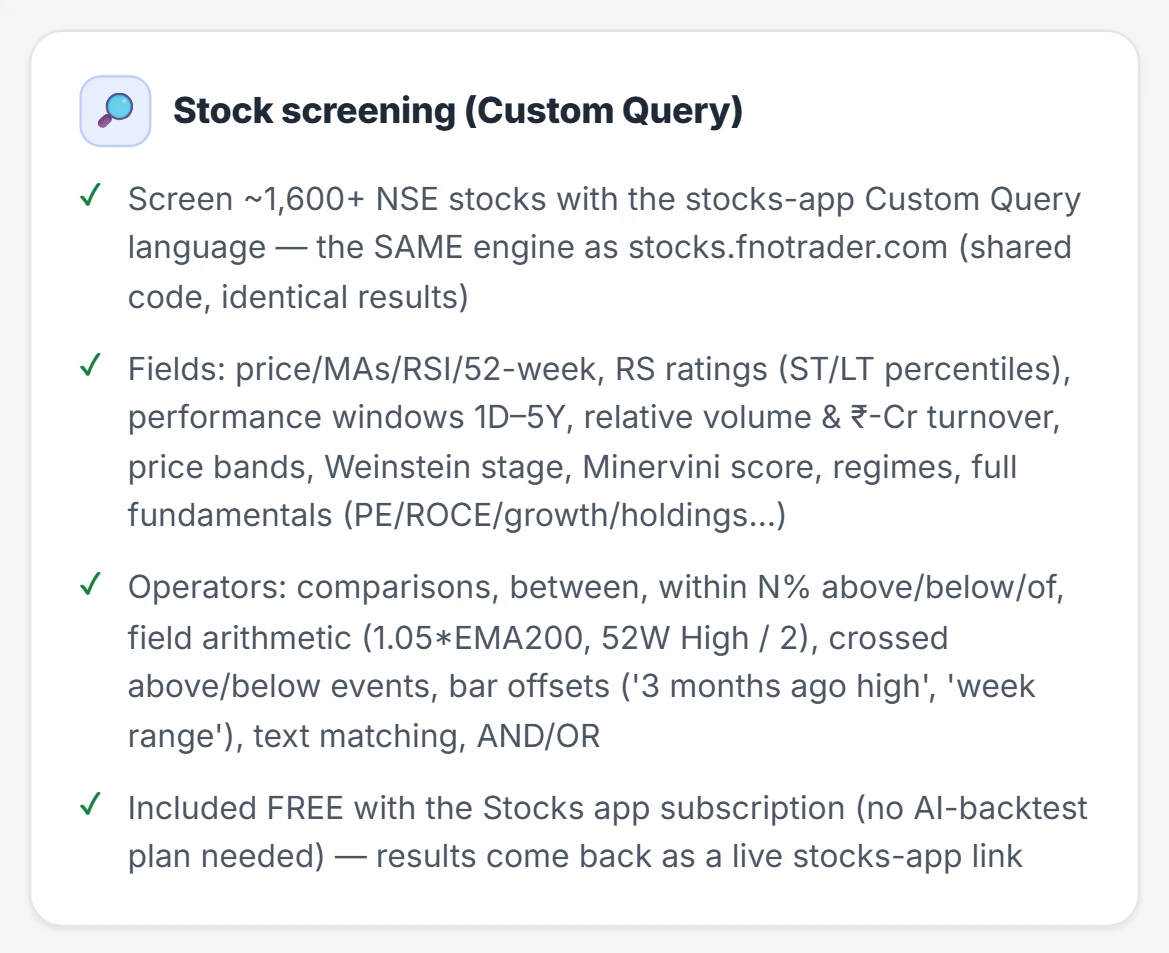
The Stocks Scanner's Custom Query language is also available to an assistant, through screen_stocks.
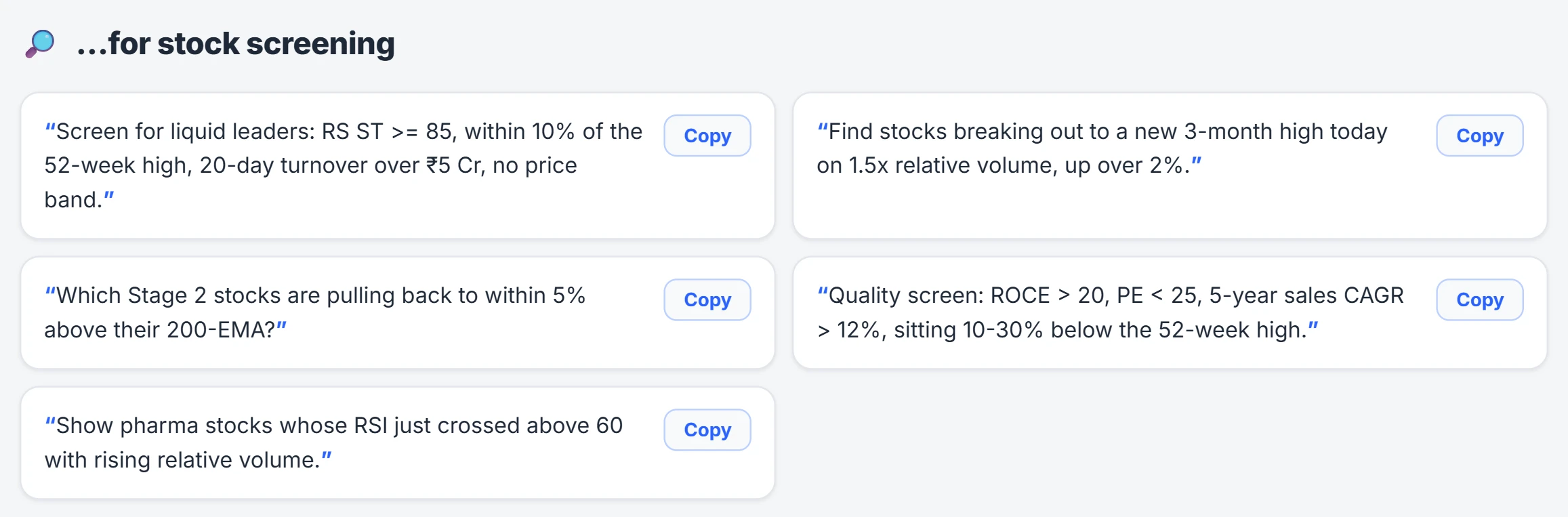
A query combines fields and conditions, for example Price > EMA200 AND Price within
5% above EMA200 for stocks pulling back to the 200-day EMA. There are about 358 field
aliases — price, moving averages, RSI, 52-week levels, relative-strength ratings,
performance windows, fundamentals, regime — on daily, weekly or monthly bars.
The tool returns the number of matches and a link that opens that exact screen in the Stocks Scanner, with the table and charts. The app is the list view; the assistant tells you the count and gives you the link rather than pasting rows. The general method is in stock screeners in India.
Writing indicators: write, check, save
FNOTrader Charts runs scripts in FTScript, FNOTrader's own scripting language. The assistant works in three steps:
- get_chart_indicator_guide — the language, recipes, and how to write an equivalent of a script you already use elsewhere (best effort; it may not match exactly).
- check_indicator — compiles the script and runs it on real bars of a symbol and timeframe (1m to monthly, 50–3,000 bars, 500 by default). It returns errors with line and column, often with a fix, or what the script actually drew: plot values, how often each arrow fired and when, and warnings such as a signal that never fires.
- save_indicator — checks it again, saves it to My scripts, and returns a link that opens the chart with it added. Saving under the same name replaces it and keeps the old source as a version.
Every script has Buy/Sell output. That output draws on the chart and is also what the Algo app can backtest. Building indicators works on every account.
A worked example
You ask: "Make an indicator that marks a buy when the 20-EMA crosses above the 50-EMA and RSI(14) is above 50, on NIFTY 15-minute."
The assistant writes the script and checks it on 500 bars of NIFTY 15m. Suppose the check reports 9 buy arrows. You can sanity-check that: 500 fifteen-minute bars is about 20 trading sessions of 25 bars each, so 9 signals is roughly one every two sessions, plausible for a crossover. If it had reported 0 or 200, something in the logic is off, and the warning says so. The assistant fixes it, saves it, and gives you the chart link.
Read-only broker tools (opt-in)
With Broker access switched on at the token page, the assistant can read your connected broker accounts and demo accounts:
| Tool | What it reads |
|---|---|
| Accounts | Accounts that can trade now, and demo accounts. |
| Positions | Today's positions with exact contract, product, quantity, average, LTP, P&L, and any stop-loss, target or trailing SL set in the Options terminal. |
| Orders | Today's order book, filterable by open, complete, rejected or cancelled, with the broker's rejection reason. |
| Funds | Available and used margin, SPAN, exposure, collateral. |
| Holdings | Delivery holdings with total, available and T1 quantity. |
It is off by default, applies to every AI client on your account, and is read-only: it cannot place, change or cancel an order. Switch it off on the same page at any time.
Common mistakes
- Asking for the full stock list in chat. Open the link; the app keeps it live.
- Trusting a script that "looks right". The check on real bars is the proof — read what it says fired.
- Expecting an exact port. An equivalent of a script from another platform is close, not guaranteed identical.
Where to find it
- Connect your assistant (see connecting your AI).
- Ask for a screen in plain English, or for an indicator on a symbol and timeframe.
- Saved indicators appear in My scripts on FNOTrader Charts.
- Switch broker access on or off at mcp.fnotrader.com/mcp/connect.
Common questions
Can an AI write a custom indicator for FNOTrader Charts?
Yes. It writes FTScript, tests it on real bars with check_indicator, saves it to My scripts and gives you a link that opens it on the chart.
Can the AI convert my indicator from another platform?
It can write an FTScript equivalent on a best-effort basis; the result may not match the original exactly.
Can the AI see my broker positions?
Only if you switch on Broker access at the token page. It can then read positions, orders, funds and holdings, but cannot place, modify or cancel orders.
Why does the AI give me a link instead of the list of stocks?
The screen opens live in the Stocks Scanner with its table and charts, which stays current; the tool reports the match count and the link.
More on Ask AI & AI backtesting
More in Ask AI & AI backtesting · App: AI backtesting · Definitions: glossary · All: every article