What MCP is, and what this server does
MCP, the Model Context Protocol, is a standard way for an AI assistant to call tools on another service and read the results.
Connected to FNOTrader, the assistant can save option strategies and run them on the same backtest engine and 1-minute data as the Algo & Backtest app, run stock and sector ranking backtests, research mutual funds, screen stocks, and write chart indicators. It works from your account: strategies it saves are yours, and backtests it runs appear in your Backtest History, exactly like runs started in the app.
There is one endpoint for every client: https://mcp.fnotrader.com/mcp, over
streamable HTTP.
What it can never do
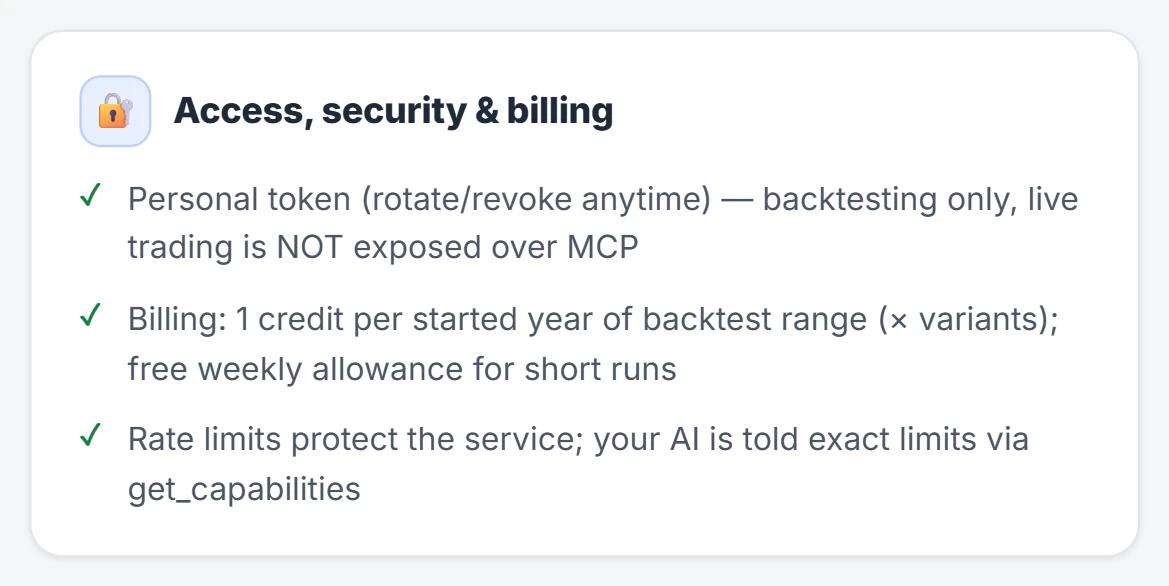
No tool on the server places, modifies or cancels an order, deploys a strategy or changes a broker account. The assistant can backtest a strategy; running it live is something you do yourself in the Algo app.
Reading your broker accounts is a separate, opt-in switch, off until you turn it on, and read-only even then — covered in screening and indicators. The assistant also never sees your password: OAuth sign-in happens on FNOTrader's own page in your browser.
Two ways to connect
| Method | For | How |
|---|---|---|
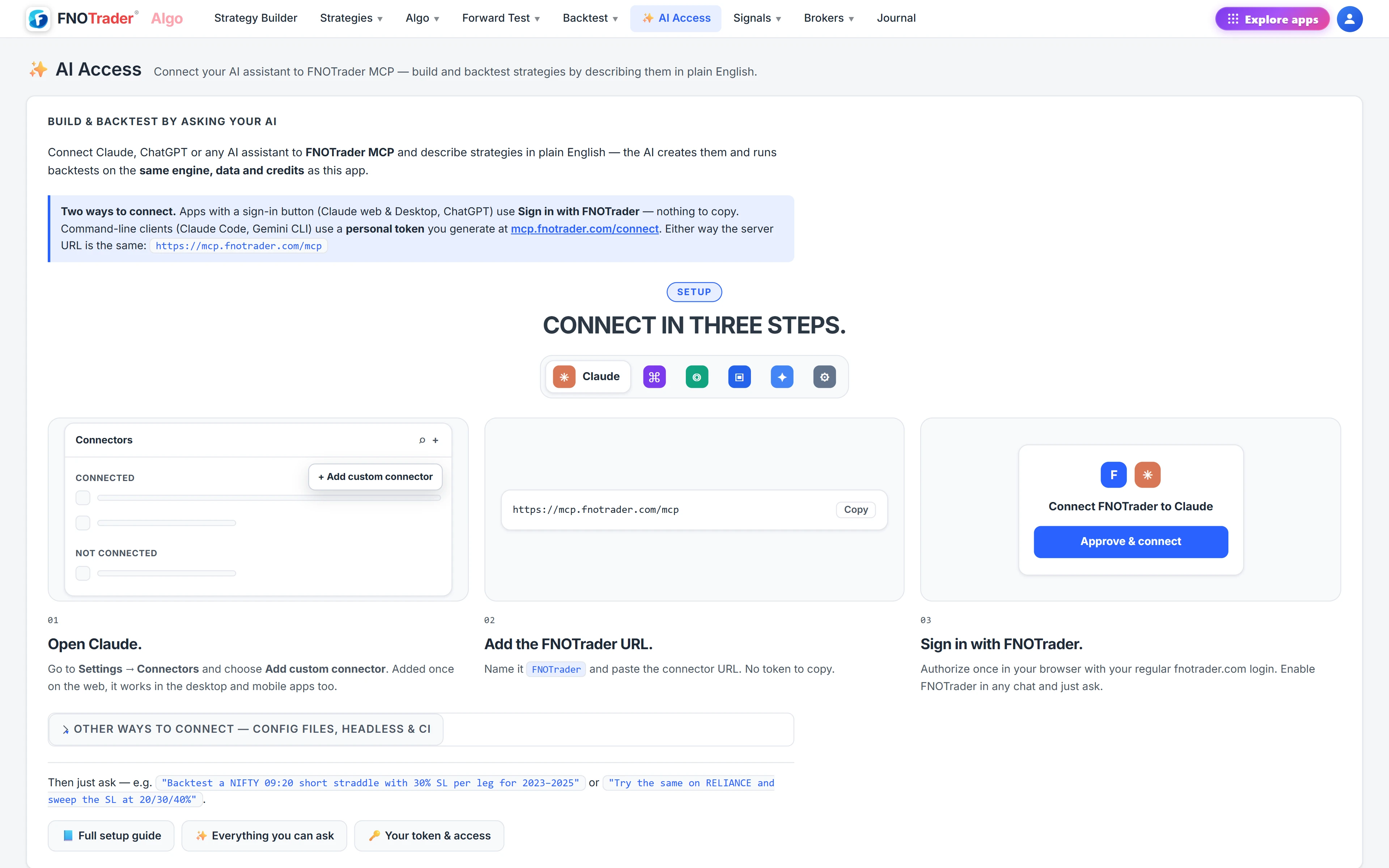
| Sign in with FNOTrader (OAuth) | Claude web & desktop, ChatGPT, Cursor, Claude Code | Add the URL as a custom connector, then approve once with your normal fnotrader.com login. Nothing to copy. |
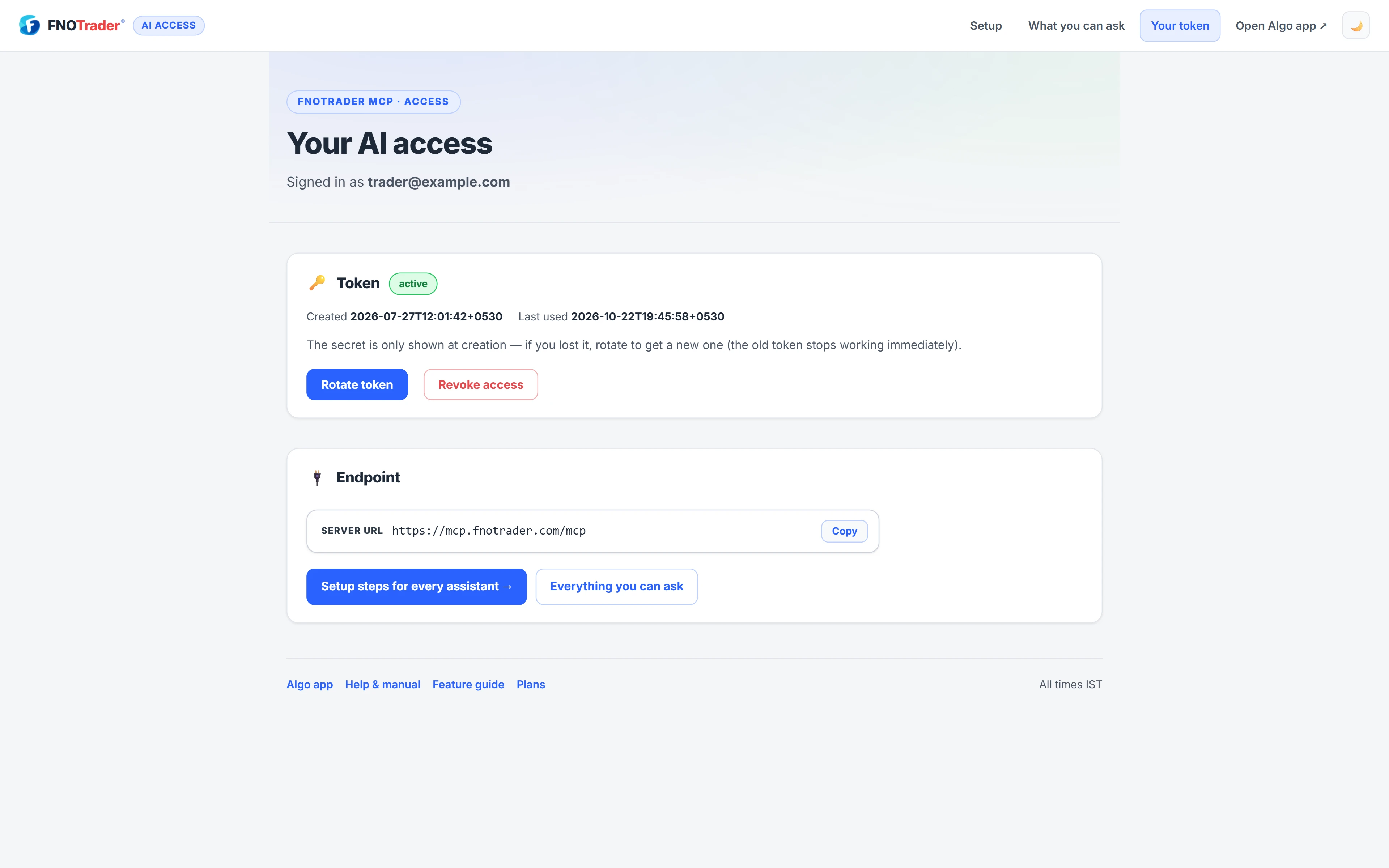
| Personal token | Gemini CLI, headless or CI runs, any client without a sign-in button | Generate it on the token page and send it as an Authorization: Bearer header. |
The token is shown once, when it is created. If you lose it, rotate: you get a new one and the old one stops working immediately. Revoke disconnects every AI client using your tokens at once. The page also shows when the token was created and last used.
Client by client
- Claude (web and desktop): Settings → Connectors → Add custom connector, name it FNOTrader, paste the URL, and sign in. Added once on the web, it is available in the desktop and mobile apps too.
- Claude Code:
claude mcp add --transport http fnotrader
  https://mcp.fnotrader.com/mcp
, then run/mcp, pick fnotrader and Authenticate. - ChatGPT: enable Developer mode under Settings → Connectors → Advanced, create a connector with OAuth and the URL, then tick FNOTrader in a chat. The "unverified connector" notice appears for every custom connector.
- Cursor: add
{"mcpServers":{"fnotrader":{"url":"https://mcp.fnotrader.com/mcp"}}}to its MCP settings; it detects OAuth and opens your browser. - Gemini CLI: add the URL with a token header to its settings file, then run
/mcpto confirm the tools are listed.
Fair-use limits
To keep the shared engine responsive, usage is limited per account:
| Limit | Value |
|---|---|
| AI tool calls | 120 a minute |
| Backtest submissions | 30 an hour |
| Backtests queued or running at once | 4 |
Building chart indicators works on every account; backtesting and research need a plan that includes backtesting — see /pricing. The assistant can check your access and current usage itself if a tool says something is not included.
Where to find it
- In the Algo app, open AI Access for setup steps for each assistant.
- Open mcp.fnotrader.com/mcp/connect while signed in to generate, rotate or revoke a token, or to switch broker access on or off.
- Add the endpoint to your assistant and ask, for example, for a NIFTY 09:20 short straddle backtest with a 30% stop per leg.
Common questions
Can an AI assistant place trades on my FNOTrader account?
No. No tool on the server places, modifies or cancels an order or deploys a strategy. Broker reading is opt-in and read-only.
Do I need a token to connect Claude or ChatGPT?
No. Both use Sign in with FNOTrader. A token is only for clients without a sign-in button, such as command-line or headless setups.
I lost my token. Can I see it again?
No, it is shown only once. Rotate it on the token page to get a new one; the old token stops working immediately.
What are the usage limits for AI backtesting?
120 tool calls a minute, 30 backtest submissions an hour, and up to 4 backtests queued or running at a time.
Which AI assistants work with FNOTrader?
Any client that speaks MCP over streamable HTTP, including Claude, Claude Code, ChatGPT, Cursor, Gemini CLI, VS Code Copilot and custom agents. They all use the same endpoint.
Where do backtests run by my AI show up?
In Backtest History in the Algo app, the same as runs you start there.
More on Ask AI & AI backtesting
More in Ask AI & AI backtesting · App: AI backtesting · Definitions: glossary · All: every article