Guards work on the account's day P&L
A guard compares the account's P&L for the IST day with a level you set. When it is crossed, every open position in that account is squared off and the account is locked.
Day P&L here is realised plus unrealised, minus the unrealised gain or loss the account carried into the day. An overnight position's movement before today therefore never counts towards today's limit. A guard never fires on a missing price.
The settings
| Guard | Example | What it does |
|---|---|---|
| Stop-loss (₹) | −25,000 | At day P&L −₹25,000: square off and lock. |
| Target (₹) | 60,000 | At +₹60,000: square off and lock. |
| SL trailing X / Y | 10,000 / 5,000 | For every ₹10,000 the day's peak P&L improves, the SL rises ₹5,000. Needs a Stop-loss. |
| Profit locking X / Y | 20,000 / 10,000 | Once P&L reaches +₹20,000, a floor of +₹10,000 is set. |
| Profit trailing X / Y | 5,000 / 3,000 | Every further ₹5,000 of peak lifts the floor ₹3,000. |
| Max open lots | 20 | Copies that would take total open lots past this are refused. |
| Max orders / minute | 30 | Copies beyond this rate are refused. |
Blank turns a P&L guard off; 0 turns off the two count guards. Floors and trailed SLs only move up.
A worked example
Using the example values above. The day's P&L peaks at +₹30,000.
- Trailed SL: 30,000 ÷ 10,000 = 3 full steps, so the SL is −25,000 + 3 × 5,000 = −₹10,000.
- Profit floor: the lock set +₹10,000 at the +₹20,000 mark. Profit trailing counts steps above that mark: (30,000 − 20,000) ÷ 5,000 = 2 steps, so the floor is 10,000 + 2 × 3,000 = +₹16,000.
The floor is the higher of the two, so if P&L now falls back to +₹16,000, the account is squared off and locked with ₹16,000 booked. The target of ₹60,000 was never reached.
What a lock does, and does not do
A locked account receives no new entries. Exits still copy, so if the account still holds something, it can follow the leader out. Check Positions will not add exposure to a locked account. Locks clear at the IST day change, or with Unlock.
Once a guard has fired, it stays spent for the rest of the day, so Unlock really resumes copying instead of re-locking at once on the same P&L. Saving the account's guards re-arms them. Locking the leader does not stop copying, because the copier never places orders in the leader. Lock and Flatten are also manual buttons: Lock stops new entries; Flatten squares off every open position in the account, without changing any group.
The save-time check
Every guard fire squares off the whole account, so a typo is expensive. Trade Copy checks the values before saving and shows what would happen when a guard would fire at once or is almost certainly a mistake:
- A positive stop-loss — 3,00,000 typed for −3,00,000. That is a profit lock that fires as soon as P&L falls to ₹3,00,000, which at a P&L of ₹0 is immediately.
- A stop-loss that today's P&L is already at or below, so it is already hit.
- A target of zero or less, or a target today's P&L has already reached.
It saves only when you choose Save anyway.
Where to find it
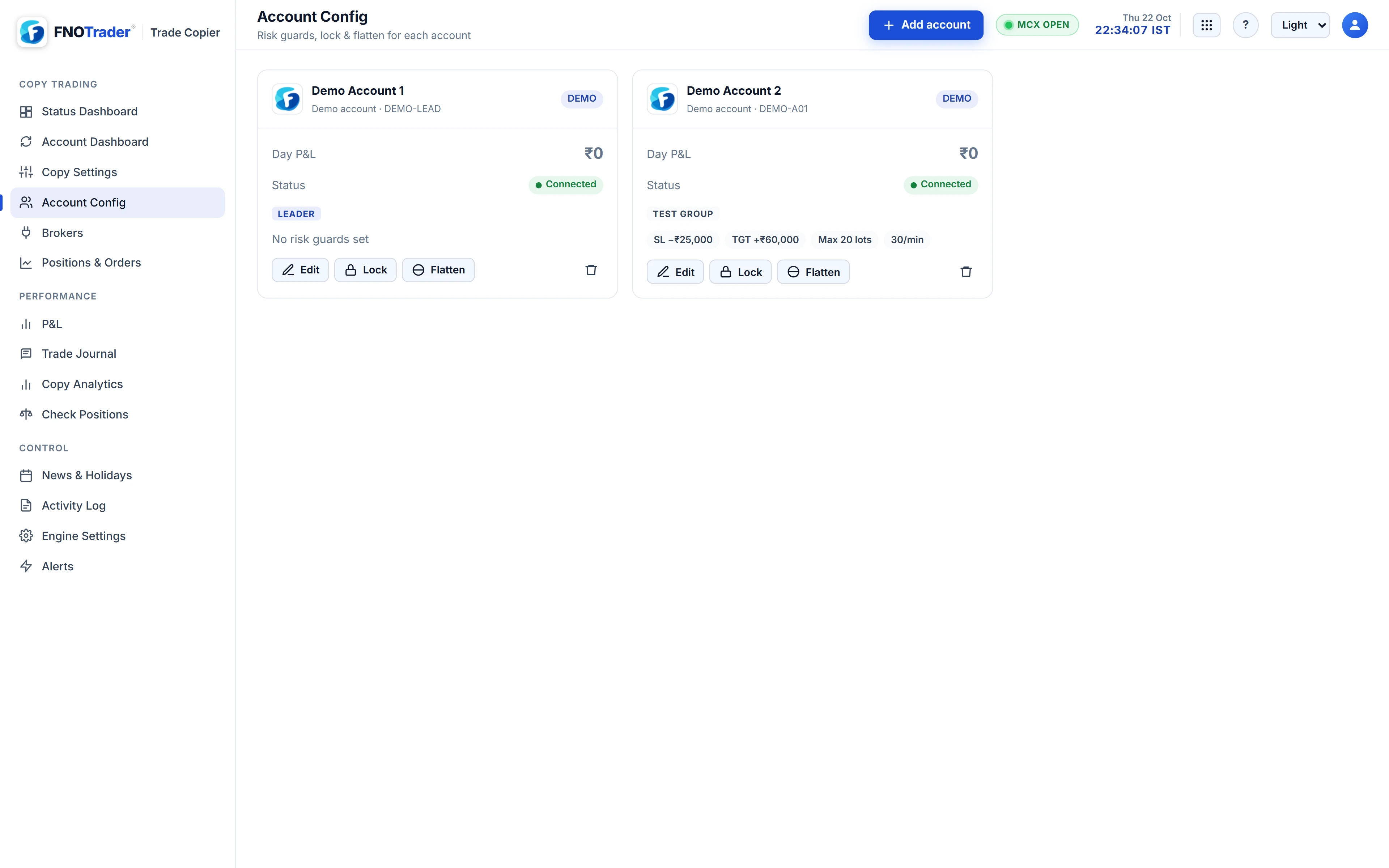
- Open Account Config and press Edit on the account.
- Enter the Stop-loss, Target and the X / Y pairs you want; leave the rest blank.
- Set Max open lots and Max orders / minute if needed, then save.
- The account card shows its status — Connected, Logged out or Locked — with Lock and Flatten.
Common questions
Does a daily loss limit in Trade Copy close positions or only stop new copies?
Both. When the stop-loss, profit floor or target is crossed, every open position in that account is squared off and the account is locked against new entries.
Do exits still copy while an account is locked?
Yes. Only new entries are blocked, so a locked account can follow the leader out of anything it still holds.
Why did my account lock the moment I saved?
Usually a positive stop-loss, which acts as a profit lock, or a level today's P&L had already crossed. The save-time check shows this before saving.
Does an overnight position count towards today's loss limit?
Only its movement today. The unrealised P&L carried into the day is taken out of the day's figure.
More on Trade Copier
More in Trade Copier · App: Trade Copy · Definitions: glossary · All: every article