What Ask AI sees in Trade Copier
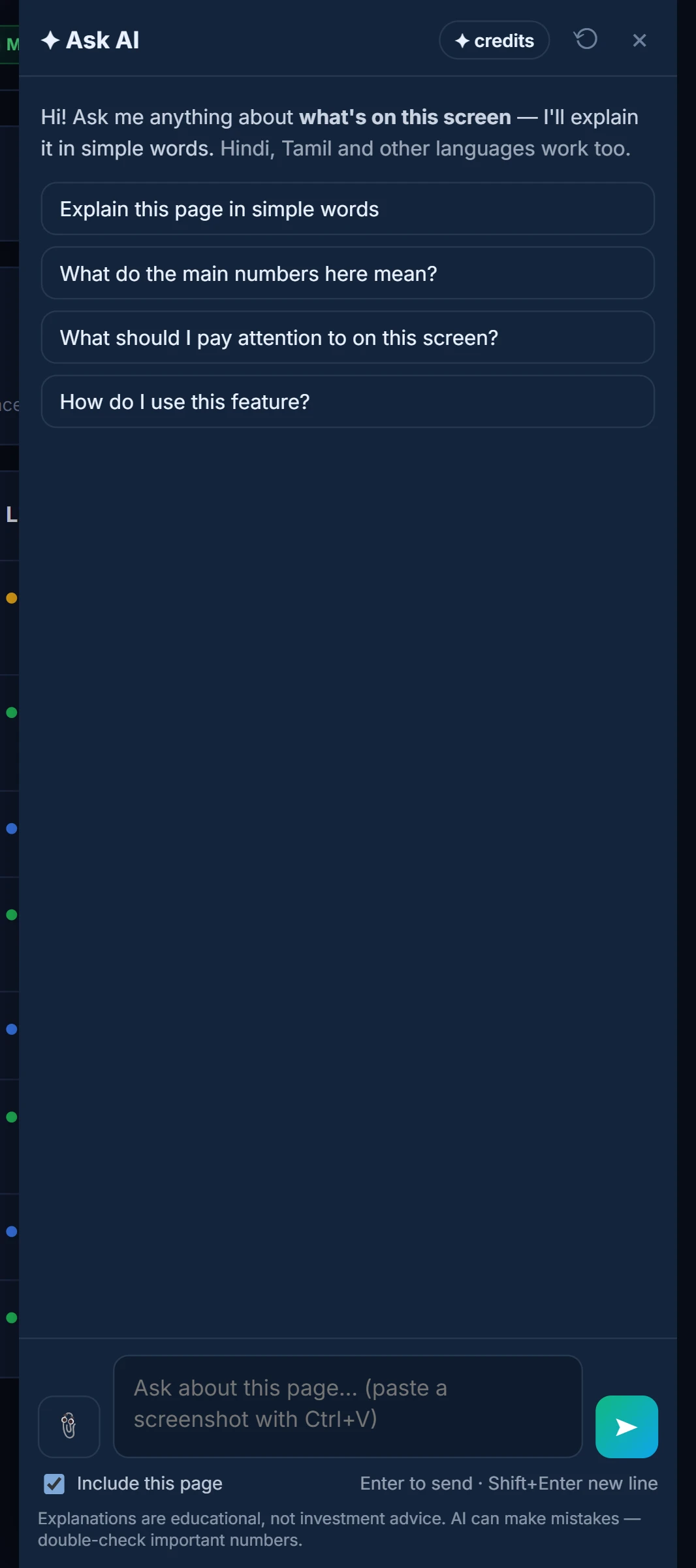
Trade Copier sends Ask AI the visible text of the page you are on. That suits it well: most of the copier is tables and settings, and the reasons are written out in words.
| Page | Useful for |
|---|---|
| Status Dashboard | What each switch and status chip means for a copy group |
| Copy Settings | How sizing, filters and timings will treat the next order |
| Account Config | What each risk guard, lock and flatten setting does |
| Positions & Orders | Reading follower books against the leader |
| Check Positions | What a mismatch row means |
| Copy Analytics | Latency, slippage and copy success in plain terms |
| Activity Log | Why a copy was skipped or failed |
The Activity Log is usually the right page for “why” questions, because every copy, skip and error is written there with its reason. Settings pages answer “what will happen next time” questions. More on what is sent in how Ask AI reads your screen.
What it can and cannot do
It can explain a skip reason, translate a setting into what it does to an order (“with a 2× multiplier and a fixed-lot cap, a 3-lot leader order becomes…”), read a reconciliation table, and say what latency and slippage numbers mean.
It cannot switch a group on or off, change a multiplier, flatten an account or place a trade. Those stay in the app, behind its own confirmations. How copying works is covered in how copy trading works.
Questions that work
- “Why did this follower skip the last copy?” (on the Activity Log)
- “Explain the activity log entries here.”
- “Explain these copy settings in plain words.”
- “What quantity will this follower get for a 3-lot leader order?”
- “Do the follower positions on this page match the leader?”
- “What do the latency and slippage numbers here mean?”
- “Which risk guards on this account would stop a new entry?”
Each question has a screen word — this, here, these. Without one, “what is slippage?” is answered as a definition and your page is not read.
A worked example: a follower that got fewer lots
Say the leader bought 3 lots, the follower is set to a 2× multiplier, and the follower shows 4 lots. Example numbers.
On Copy Settings, ask: “Why did this follower get 4 lots instead of 6?”
The answer looks for what on the page caps it: 3 × 2 = 6 lots by the multiplier, so something reduced it — for example a Max lots setting of 4 on that follower, which caps every order at 4. If nothing on the settings page explains it, it says so and points you to the Activity Log, where the copy's own reason is written. Asked there with the row highlighted, the answer quotes that reason.
Sizing rules are explained in follower sizing.
Limits
- Read-only. It cannot change settings, groups or positions.
- One page at a time. A skip reason lives in the Activity Log; a setting lives on Copy Settings. Ask on the page that holds the answer.
- Not advice. It explains the copier; it does not judge a leader's trades.
- It reads the log as written. If the broker returned a terse error, the answer can explain the usual causes but cannot see inside the broker's systems.
- Credits. Answers use AI credits; see /pricing.
How to open it
- Open Trade Copier and go to the page with the question.
- Click the Ask AI button at the bottom-right.
- Highlight a log row first to point the question at that row.
Common questions
Can Ask AI tell me why a copy was skipped?
Yes. Open the Activity Log, highlight the row and ask 'Why did this follower skip this copy?'. It explains the logged reason.
Can Ask AI change my copy settings?
No. It explains settings but cannot change groups, multipliers or risk guards.
Does it see all my accounts?
It sees what the current page shows. The Account Dashboard and Positions & Orders pages list several accounts at once.
Will it tell me whether to follow a leader?
No. It explains how the copier behaves, not whether a trade or leader is good.
Why did my question about slippage get a general answer?
Short questions without a screen word skip the page. Ask on Copy Analytics with 'here' or 'these', for example 'What do the slippage numbers here mean?'.
More on Trade Copier
More in Trade Copier · App: Trade Copier · Definitions: glossary · All: every article