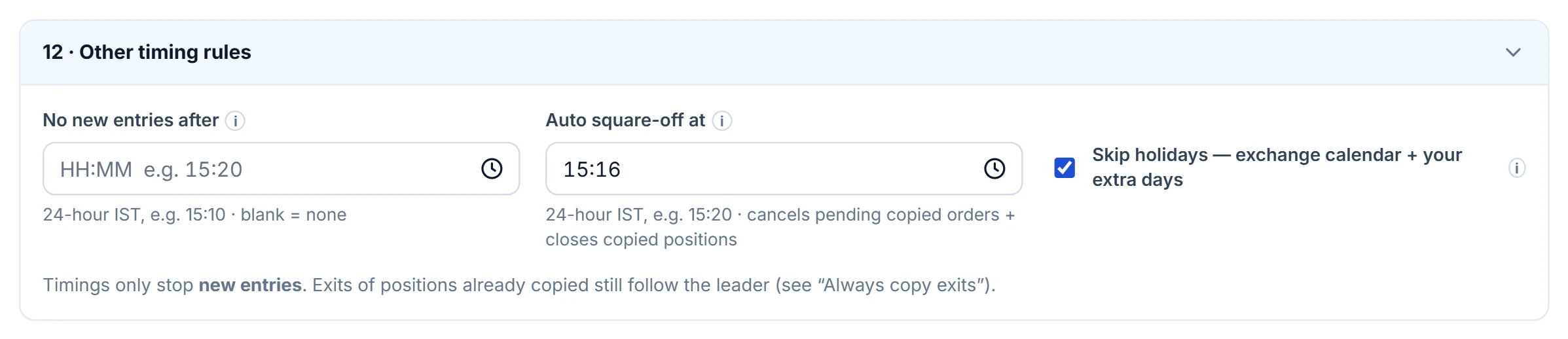
Timings stop entries, never exits
Every timing in Trade Copy controls one thing: whether a leader's new entry is copied.
Exits of positions the group already copied keep following the leader whatever the clock says, as long as Always copy exits is on. That is the point: a "no new entries after 15:00" rule must not trap a follower in a position the leader closes at 15:05. All times are IST.
The four timing settings
| Setting | What it does |
|---|---|
| Trade within these timings | New entries copy only inside your windows, on the weekdays you pick. Presets: NSE 09:15–15:30, MCX 09:00–23:30. |
| Don't trade between these timings | No new entries inside these windows, e.g. 12:00–13:00. |
| No new entries after | A single cut-off time. |
| Auto square-off at | At this time, cancel the group's pending copies on each follower, then square off the positions the group copied. |
Times are entered as 24-hour HH:MM; a value that is not a time is refused at save rather than silently treated as off. Every window needs a start, an end and at least one weekday.
What auto square-off does, step by step
- At the set minute, on a day when some exchange is in session and it is not a holiday, the group logs a timed square-off.
- For each follower that is switched on, it first cancels the pending orders the group copied — open limits and trigger-pending stops — so nothing fills after the close-out.
- It then closes the open position in every contract the group has copied into that account, using protected LIMIT orders on real accounts and the same freeze-limit slicing as any copy.
- A position whose own exchange is closed at that moment is left open with a warning, since an order into a shut exchange is only rejected.
It runs once per IST day per group. The leader is never touched.
Holidays, news windows and no-copy days
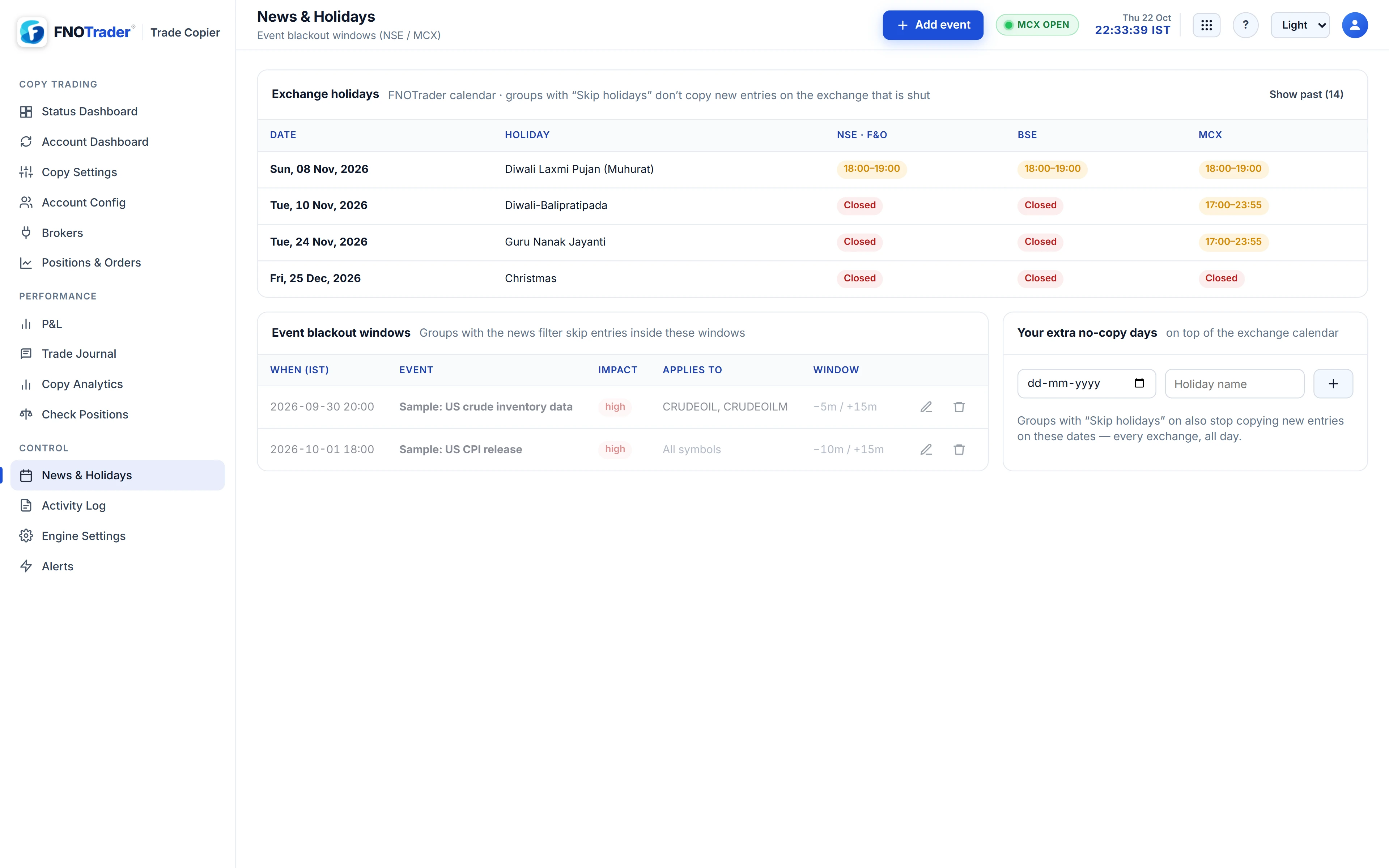
Skip holidays blocks new entries on an exchange that is closed per the exchange calendar. Equity venues and MCX are judged separately: an NSE holiday does not block MCX, which often runs an evening-only session on such days. Special sessions are honoured as the session window.
The News & Holidays page shows that calendar, your event blackout windows — an announcement time, minutes before and after, and the underlyings it applies to — and your own extra no-copy days. Groups with the News filter on skip entries inside a blackout window; groups with Skip holidays copy nothing new on your no-copy days.
A worked example
Hypothetical group: Trade within 09:20–15:00 Mon–Fri; Don't trade 12:00–13:00; No new entries after 14:45; Auto square-off 15:10; a blackout window for a policy announcement at 10:00, 5 minutes before and 15 after, scoped to NIFTY and BANKNIFTY.
- Leader buys NIFTY at 09:17: not copied, outside the window.
- Leader buys NIFTY at 10:08: not copied, inside the 09:55–10:15 blackout.
- Leader buys at 11:30: copied. Leader adds at 12:20: not copied, lunch window.
- Leader sells the 11:30 lot at 14:50: copied — exits still follow.
- Leader holds another position past 15:10: followers' copies are closed at 15:10; the leader stays open.
Common mistakes
- Expecting the square-off to touch manual trades in a different contract. It closes contracts the group copied into that follower. Note that it closes the whole net position in such a contract, including any lots you added there manually.
- Setting square-off after the broker's own intraday cut-off. Brokers square off MIS positions themselves near the close; set the copier's time earlier if you want it to be the one closing.
- Forgetting MCX on an NSE holiday. MCX may trade an evening session; a square-off time in the afternoon will skip MCX positions while it is closed.
Where to find it
- Copy Settings → the group → the timing sections, for windows, cut-off, square-off and Skip holidays.
- News & Holidays for the calendar, blackout events and no-copy days.
- Turn on the News filter in What to copy for the blackout windows to apply.
Common questions
Does auto square-off close the leader's positions too?
No. It cancels the group's pending copies and closes copied positions on followers only. Trade Copy never places orders in the leader.
Will an NSE holiday stop my MCX copies?
No. Equity exchanges and MCX are judged separately against the exchange calendar.
If I set No new entries after 15:00, will exits after 15:00 still copy?
Yes, with Always copy exits on. Timings only block new entries.
Can I block copying around a specific announcement?
Yes. Add an event on News & Holidays with minutes before and after and the underlyings it covers, and turn on the group's News filter.
More on Trade Copier
More in Trade Copier · App: Trade Copy · Definitions: glossary · All: every article