What a Signal is
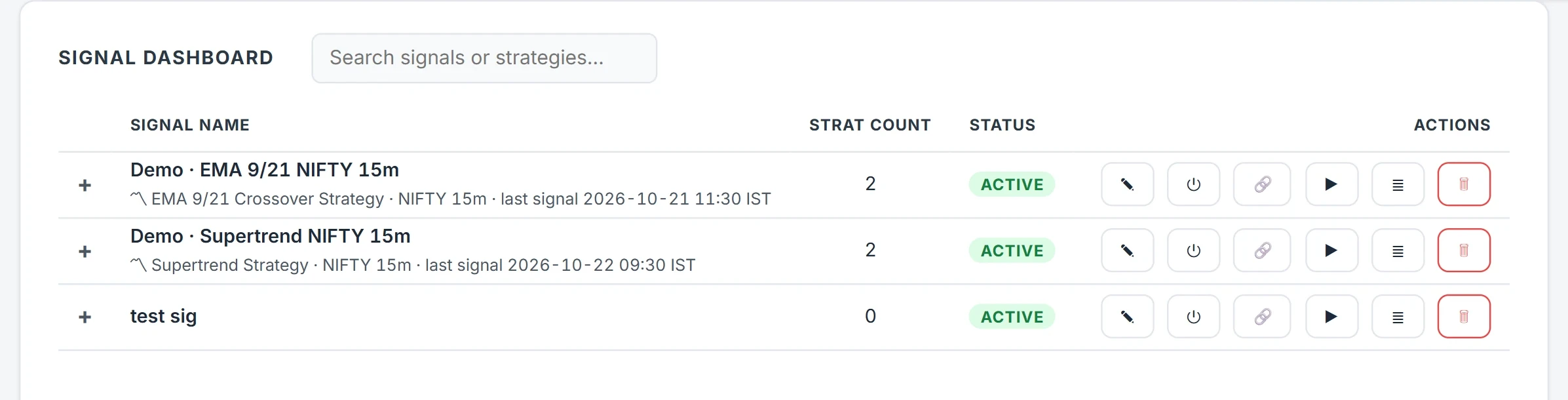
A Signal is a named webhook with its own URL. You wire it to one or more strategy × broker account routes, and every alert sent to the URL is applied to those routes.
The URL looks like https://algo.fnotrader.com/api/webhook/sig/<signal-token>.
The token is the authentication, so treat the URL like a password and never share it. Any HTTP
source can post to it: TradingView, a screener, a Python script. Every step — received,
routed, refused, ordered — is written to the Signal's log. (TradingView is a trademark of
its owner; FNOTrader is not affiliated with it.)
Signal types: one URL, the alert says what it is
Use the same URL in every alert for a strategy, and put the type in
signal_type. Each route row lists the types it accepts; a type you never wired is
refused and logged, never turned into something else.
| signal_type | What happens |
|---|---|
| LONG ENTRY / SHORT ENTRY | Open a long or a short. |
| LONG EXIT / SHORT EXIT | Close it, fully or partly. |
| ENTRY / EXIT | For multi-leg strategies, which have no single side. |
| UPDATE | Change stop, target, trailing or profit lock of an open position. It can never open or close one. |
Short codes LE, SE, LX, SX, E and X also work. If you leave signal_type out, every wired row fires. Anything else you leave out of the alert keeps the strategy's saved value; 0 is a real value that removes a limit.
Routing, partial exits and repeats
- Fan-out. One Signal can feed several strategies on several accounts, each route with its own multiplier, so the same alert sizes differently per account.
- Partial exits. An exit with
qtyin lots releases that much of every open leg, so a straddle stays a straddle.qty_pctdoes the same as a percentage. A quantity at or above what is open closes it. - Repeats. Senders retry and double-fire. With Pyramid off (the default), a repeat same-side entry while that strategy is live on that account is ignored and logged. With it on, each repeat adds a position up to Max positions (3 if you do not set one; never above 50). A short entry while a long is open is a reversal, not a repeat. Exits always close every matching run.
- Readiness. Before ordering, each route's broker is checked. A broker confirmed not ready is skipped with a line in the log telling you to log in and re-send. If the check itself cannot be completed, the order proceeds, so an outage on the platform's side never silently stops your trading.
- Profit lock safety. An UPDATE that sets a profit lock already breached
— its floor comes from the run's peak P&L — would book the basket at once. With
nobody to confirm, it is refused and the floor, peak and current P&L are logged. Add
"force": trueonly if immediate booking is what you want.
A worked example
Test from a terminal before pointing an alert at it. With your own token in place of the placeholder:
curl -X POST https://algo.fnotrader.com/api/webhook/sig/<signal-token>
  -H 'Content-Type: application/json'
  -d '{"signal":{"signal_type":"LONG ENTRY","qty":2}}'
Suppose this Signal routes to one strategy on Account A at ×1 and Account B at
×2. The entry opens 2 lots on A and 4 on B. Later the alert
{"signal":{"signal_type":"LONG EXIT","qty":1}} releases 1 lot per leg on A and 2 on
B, leaving half running on both. Finally {"signal":{"signal_type":"UPDATE","sl_inr":0}}
removes the basket ₹ stop on every open run of that strategy — 0 removes a limit,
while leaving a field out leaves it unchanged.
The reply counts what the alert did — started, squared off, updated. Point the first live alerts at a demo account, and read the counts.
Common mistakes
- Sending a chart ticker as the symbol. A continuous-contract ticker such as NIFTY1! is not the tradable root.
- Assuming sl means percent. On an entry,
slandtgtare read in the unit the strategy already uses. Sendsl_pctorsl_pointsto be explicit. - Turning Pyramid on to "be safe". It does the opposite: a duplicated alert then adds size.
- Skipping the backtest. The same signal codes work in a backtest file, so you can replay the system first — see backtesting your signals.
A chart script from charts.fnotrader.com can also be a Signal's source: each closed-bar signal fires the Signal exactly as a webhook would.
Where to find it
- In Algo, open Signals and create one.
- Add routes: strategy, broker account, multiplier and the signal types each row accepts.
- Choose whether repeats are ignored or pyramided, and the max positions.
- Copy the URL from the link icon. In TradingView, paste it in the alert's Webhook URL field and the JSON body in the Message box.
- Watch Signals → Logs for each alert. Webhook help in the menu has more body examples.
Common questions
How do I send TradingView alerts to my broker through Algo?
Create a Signal, route it to a strategy and broker account, copy its webhook URL into the TradingView alert, and put a JSON body with signal_type in the message. Algo checks the broker is ready and places the strategy's orders.
What happens if the same alert fires twice?
With Pyramid off, which is the default, the repeat entry is ignored and logged. With Pyramid on, each repeat adds a position up to the Signal's max positions.
Can a webhook exit only part of a position?
Yes. Send an exit with qty in lots, or qty_pct as a percentage. That much of every open leg is closed and the rest keeps running.
Is the webhook URL secret?
Yes. The token in the URL is its authentication, so anyone holding it can send signals. Keep it private.
Can one alert trade several broker accounts?
Yes. Add one route per account, each with its own multiplier, and the same alert is applied to all of them.
More on Algo & Backtesting
More in Algo & Backtesting · App: Algo & Backtest · Definitions: glossary · All: every article