What it is, and the question it answers
Top Funds is the starting point of the app: one universe of live funds, shown three ways, with the return window and the Direct/Regular plan applying to all of them.
The question it answers is "which funds have led, and over what period". Leading is only meaningful inside a peer group — a small-cap fund topping a list that also contains liquid funds tells you about markets, not about the fund — so the default view ranks inside each category.
The three views
| Tab | What it does | Use it for |
|---|---|---|
| By Category | Top funds inside each asset class, with sub-tabs for All, Equity, Debt, Gilt, Hybrid, Commodities, FoF, Overseas, Solution Oriented and Index & ETF | "The best mid caps", not "the best funds" |
| By Performance | A full screening table across every category, with filters for category, asset class, risk band and fund house, plus a free-text filter | Building a shortlist across several categories you have already chosen |
| By AUM | The same table sorted by assets under management | Sanity checks: a category's largest funds are its most established |
The return window runs from 1D, 1W, 1M, 3M and 6M through 1Y, 2Y, 3Y, 5Y and 10Y. Up to one year the figures are absolute returns; from two years they are annualised (CAGR). The category filter takes whole asset classes or specific sub-categories, because names such as Flexi Cap exist under both Equity and fund-of-funds and filtering on the name alone would mix them.
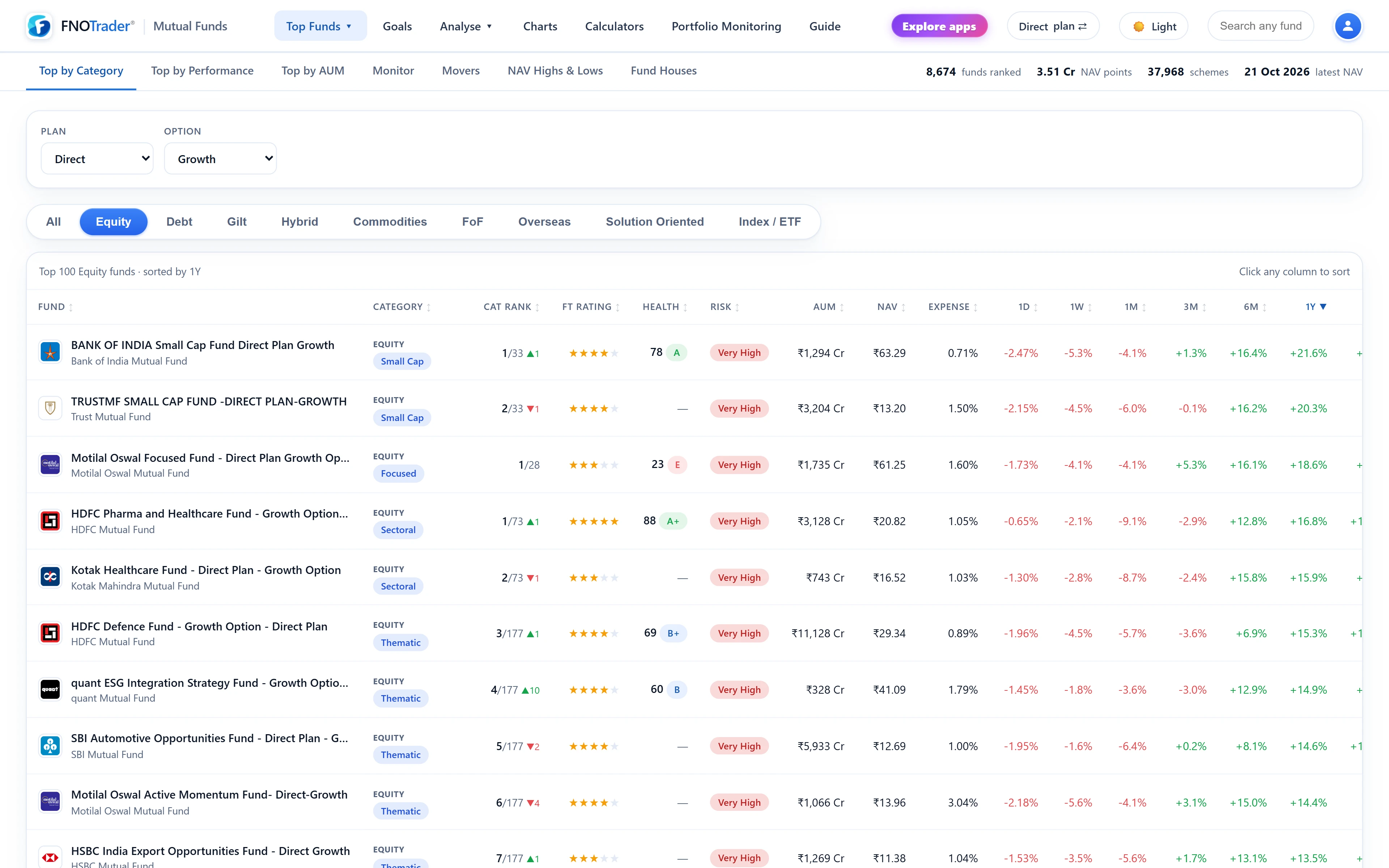
The shared fund table
Top Funds, Goals, Movers, NAV Highs & Lows, Fund Houses and the peer table on every fund page use the same column set, so a number means the same thing everywhere:
- Category — asset class with the SEBI sub-category beneath. Every peer-relative number is ranked inside the sub-category.
- Cat Rank and FT — see the FT Rating and category rank post.
- Health — the Fund Health score and grade.
- Risk — the fund house's own riskometer band.
- AUM, NAV, Expense — size in ₹ crore, latest NAV, annual expense ratio.
- Returns for the selected window, and Alpha: the fund's return minus its own benchmark's over the same window, with the benchmark named.
Click any header to sort and any row to open the fund page.
Which funds make the list
To appear, a fund needs at least 60 NAV points and a NAV no more than 15 days old. That removes schemes too young to rank and dead or merged schemes still sitting in the master list. A fund with no return for the chosen window (a two-year-old fund on the 5Y view) is left out of that view rather than shown with a blank at the bottom.
Worked example. Say you pick the 3Y window, Equity → Large Cap, Direct plan. A hypothetical fund shows a 3Y CAGR of 15.2% and its benchmark's 3Y CAGR is 13.9%. The Alpha column reads +1.3, with the benchmark's name beneath. Switch the window to 1Y and both the rank and the alpha are recomputed for that window — a fund can lead on one and trail on another.
Fund Houses
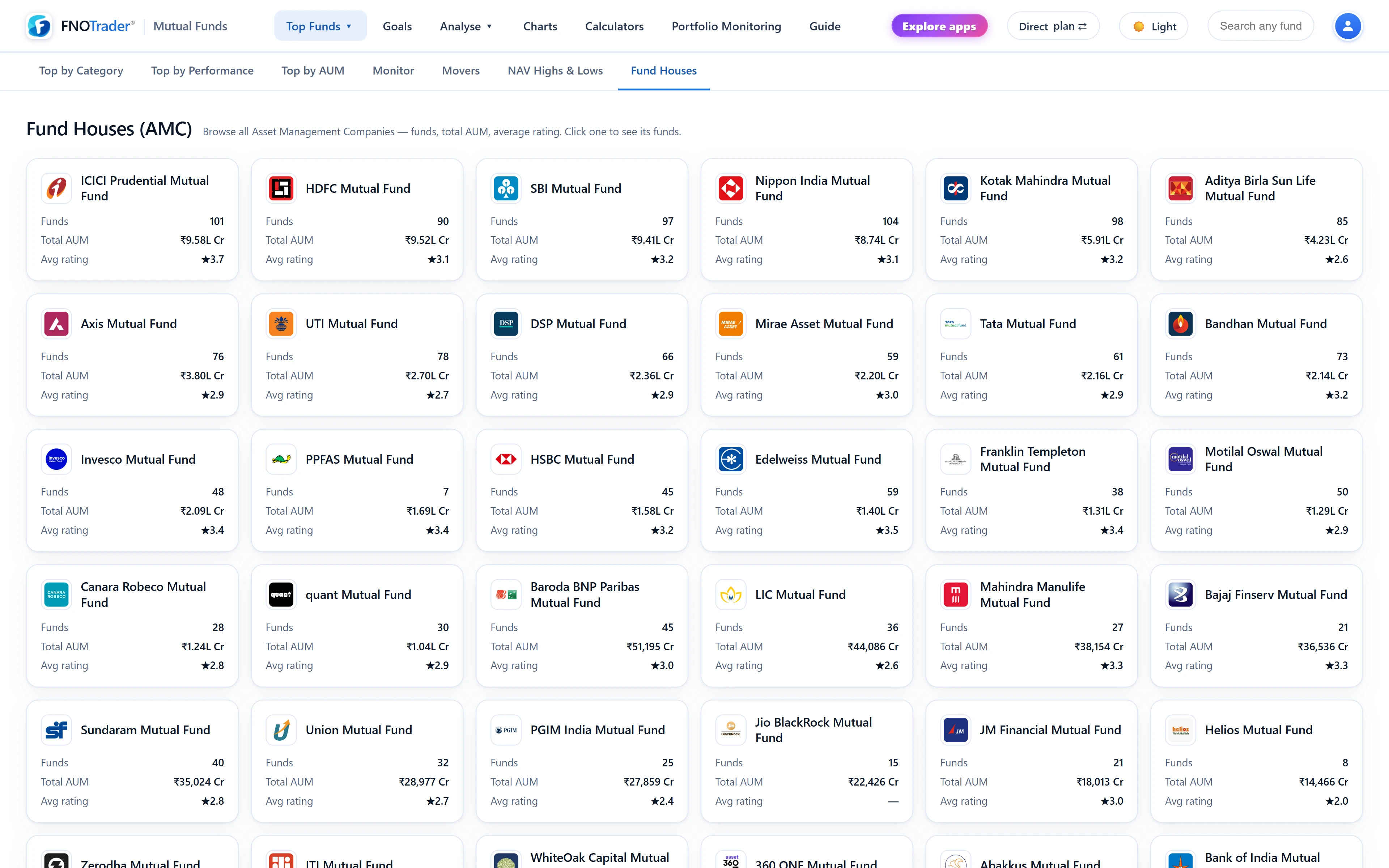
The Fund Houses page lists every AMC with the number of schemes it runs and its total AUM, sorted by size. Pick one to see its full fund list in the standard table.
It is useful in two situations. If you already invest with one AMC, it shows what else sits under the same roof. And it shows how deep a fund house is beyond its one famous scheme — whether its other funds in the same categories also rank well, or whether one star fund carries the brand.
Common mistakes
- Ranking on one short window. A 1M or 3M leader is often just the category that moved most recently. Check the 3Y and 5Y ranks, and the rolling returns on the fund page.
- Mixing plans. Direct plans cost less, so they show higher returns than the Regular plan of the same fund. The plan toggle keeps the comparison like for like; see Direct vs Regular.
- Reading a list as advice. A ranking shows past results within a category. The category choice — and whether a fund suits you — is the real decision.
Where to find it
- Open Mutual Funds and hover Top Funds in the menu.
- Choose Top by Category, Top by Performance or Top by AUM; Fund Houses is in the same menu.
- Pick the return window, and set Direct or Regular with the plan button in the top bar.
Common questions
How does FNOTrader rank the top mutual funds?
By the return window you choose, from 1 day to 10 years, either inside each category or across a filtered set, or by AUM. Funds need 60 NAV points and a recent NAV to appear.
Are returns in the Top Funds table annualised?
Windows up to one year are absolute returns. Two years and longer are annualised CAGR.
What does the Alpha column show?
The fund's return for the selected window minus its own benchmark index's return over the same window. The benchmark is named under the figure.
Can I see all funds from one AMC?
Yes. The Fund Houses page lists every AMC by size; pick one to see all its schemes in the standard fund table.
More on Mutual Funds
More in Mutual Funds · App: Mutual Funds · Definitions: glossary · All: every article