What Ask AI sees in the Mutual Funds app
In the Mutual Funds app Ask AI reads the visible text of the page: the fund's stat cards and tables, the screener rows, the compare and overlap tables, the calculators' results and the holding-change lists.
NAV and return charts are images; attach a screenshot when the question is about a chart's shape. The assistant also follows the page: open the fund you mean before asking. More in how Ask AI reads your screen.
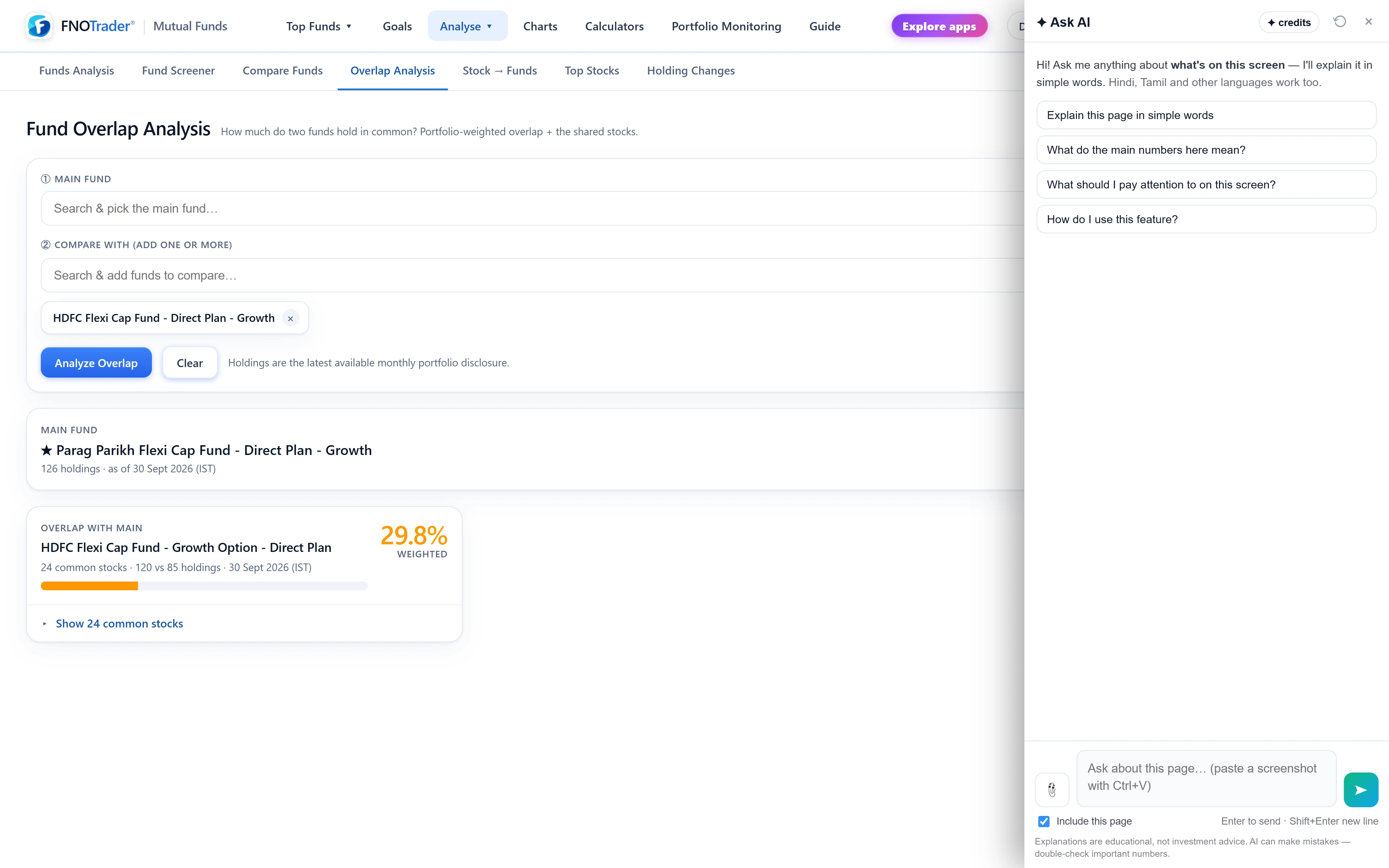
What it can do here
- Explain a fund's numbers. Why point-to-point CAGR and rolling returns tell different stories, what the rating and category rank are based on.
- Read a comparison. What an overlap figure means for two funds held together, and where two funds differ most in the compare table.
- Explain a calculation. How the SIP or goal calculator reached its figure.
- Summarise holding changes. Which stocks funds added or cut, as listed.
A useful habit: ask about the gap between two numbers that disagree, such as a high rating with a weak recent year. That is where an explanation earns its keep.
It will not say which fund to buy, switch to or redeem. Research by asking from Claude or ChatGPT, including SIP backtests, is covered in AI mutual fund research.
Questions that work, page by page
| Page | Ask |
|---|---|
| Fund analysis | “Explain these rolling returns.” · “Why is this fund's 5-year CAGR higher than its rolling average?” · “How does this fund's expense ratio compare with its category?” |
| Screener / Top Funds | “Why is this fund ranked where it is?” · “What do these columns mean?” |
| Compare / Overlap | “What does the overlap between these two funds mean in practice?” |
| Calculators | “How was this SIP figure worked out?” |
| Holding changes | “Summarise the changes shown here.” |
Keep a screen word. “What is an expense ratio?” alone gets a general definition.
A worked example: CAGR versus rolling returns
Say a fund page shows a 5-year CAGR of 16% and a median 5-year rolling return of 12%, with the worst 5-year window at 6%. Example numbers.
Ask: “Why is this fund's 5-year CAGR higher than its rolling average?”
A good answer explains that the CAGR is one window — the last five years, ending today — while rolling returns look at every five-year window in the fund's history. If the latest window happens to start near a market low, it looks better than the typical one. Over five years, 16% compounds ₹1 lakh to about ₹2.10 lakh (1.16 to the power 5 ≈ 2.10); the median 12% to about ₹1.76 lakh; the worst 6% to about ₹1.34 lakh. The spread is the useful part: it shows what a five-year holder of this fund has actually experienced, not just the latest window.
Ask next: “How did the worst window here compare with the category?” If the page shows the category figure, the answer can put the 6% in context. More in the fund page and rolling returns.
Limits
- No fund recommendations. It explains numbers; choosing is yours.
- Past returns are history. The answer says so when returns are discussed.
- Charts need a screenshot.
- Data is as of the page. NAVs update once a day; the answer uses the figures and date the page shows.
- Credits. Answers use AI credits; see /pricing.
For more question ideas across the apps, see good questions app by app.
How to open it
- Open the Mutual Funds app and the fund or page you want explained.
- Click the Ask AI button at the bottom-right.
- Highlight a single row first to point the question at that fund.
Common questions
Can Ask AI explain a mutual fund's rolling returns?
Yes. Open the fund page and ask 'Explain these rolling returns'. It reads the figures on screen.
Will Ask AI tell me which mutual fund to buy?
No. It explains ratings, returns and costs but does not recommend funds.
Can Ask AI explain fund overlap?
Yes. On the compare or overlap page, ask what the overlap between these funds means in practice.
Can Ask AI explain a SIP calculator result?
Yes. On the calculator page ask 'How was this SIP figure worked out?' and it walks through the inputs and the compounding.
Does it read the NAV chart?
Charts are images, so attach a screenshot if the question is about the chart's shape.
More on Mutual Funds
More in Mutual Funds · App: Mutual Funds · Definitions: glossary · All: every article