Three tools over one table
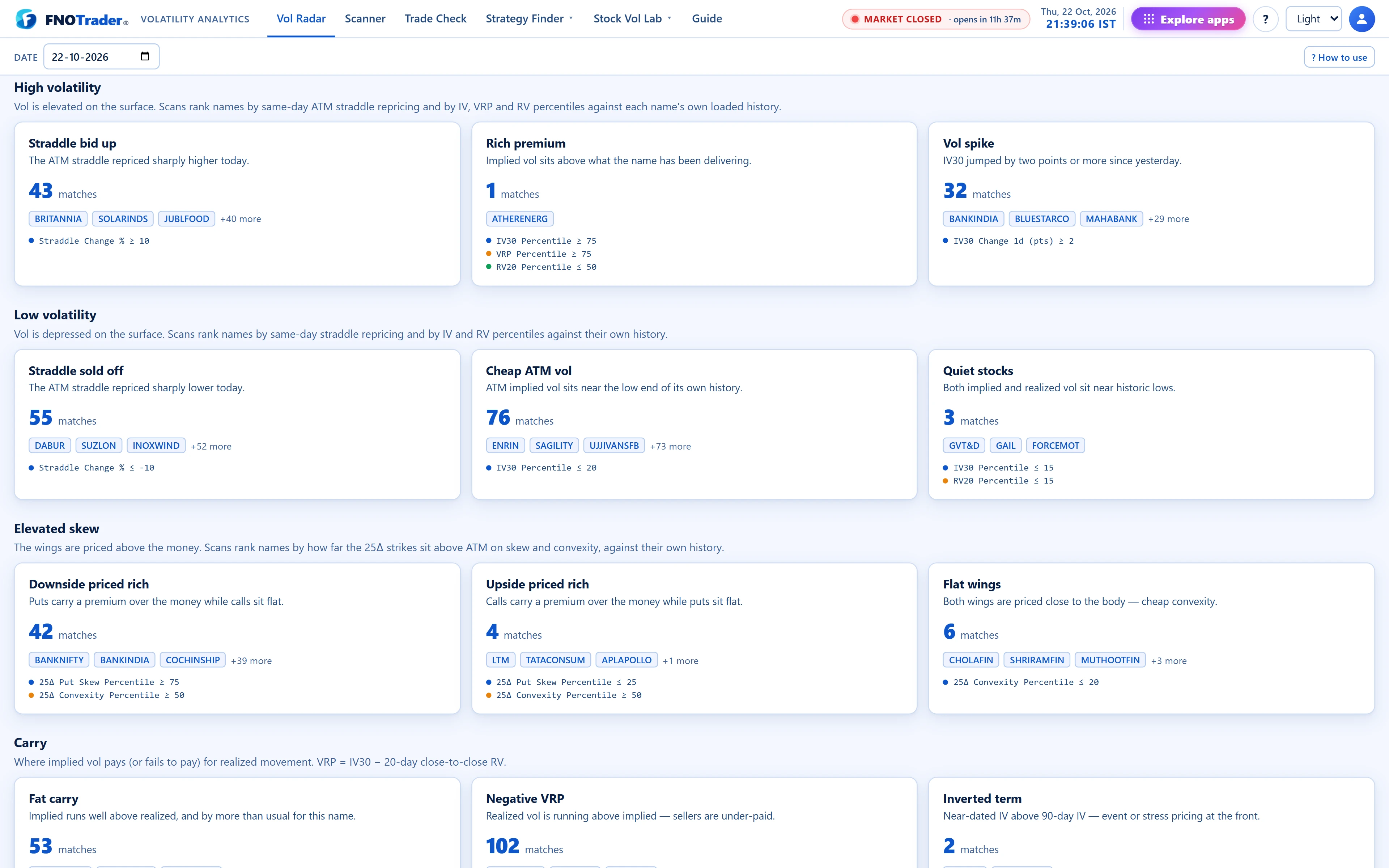
Every F&O name has one row of volatility metrics per day. The Radar Scans gallery applies 12 saved rule sets to it, All Metrics shows the whole table with per-column filters, and the Scanner page lets you save your own rule sets.
All three read the same rows as Today’s picks (see reading Vol Radar), so a name’s numbers never disagree between views.
The 12 preset scans, in four groups
| Scan | Rules |
|---|---|
| High volatility | |
| Straddle bid up | ATM straddle (as % of forward) up 10% or more vs the previous session |
| Rich premium | IV %ile ≥ 75, VRP percentile ≥ 75, RV20 percentile ≤ 50 |
| Vol spike | IV30 up 2 points or more in a day |
| Low volatility | |
| Straddle sold off | ATM straddle down 10% or more |
| Cheap ATM vol | IV %ile ≤ 20 |
| Quiet stocks | IV %ile ≤ 15 and RV20 percentile ≤ 15 |
| Elevated skew | |
| Downside priced rich | skew percentile ≥ 75, convexity percentile ≥ 50 |
| Upside priced rich | skew percentile ≤ 25, convexity percentile ≥ 50 |
| Flat wings | convexity percentile ≤ 20 |
| Carry | |
| Fat carry | VRP ≥ +3 pts and VRP percentile ≥ 75 |
| Negative VRP | VRP below 0 |
| Inverted term | IV30 − IV90 ≥ +1 pt |
Each card shows its rules, today’s match count and the first three names as chips. Click a chip to open that name; click the card to open all matches in All Metrics with the scan’s sort applied. Change the date and every count updates, so the gallery doubles as a summary of what changed.
All Metrics: filter expressions
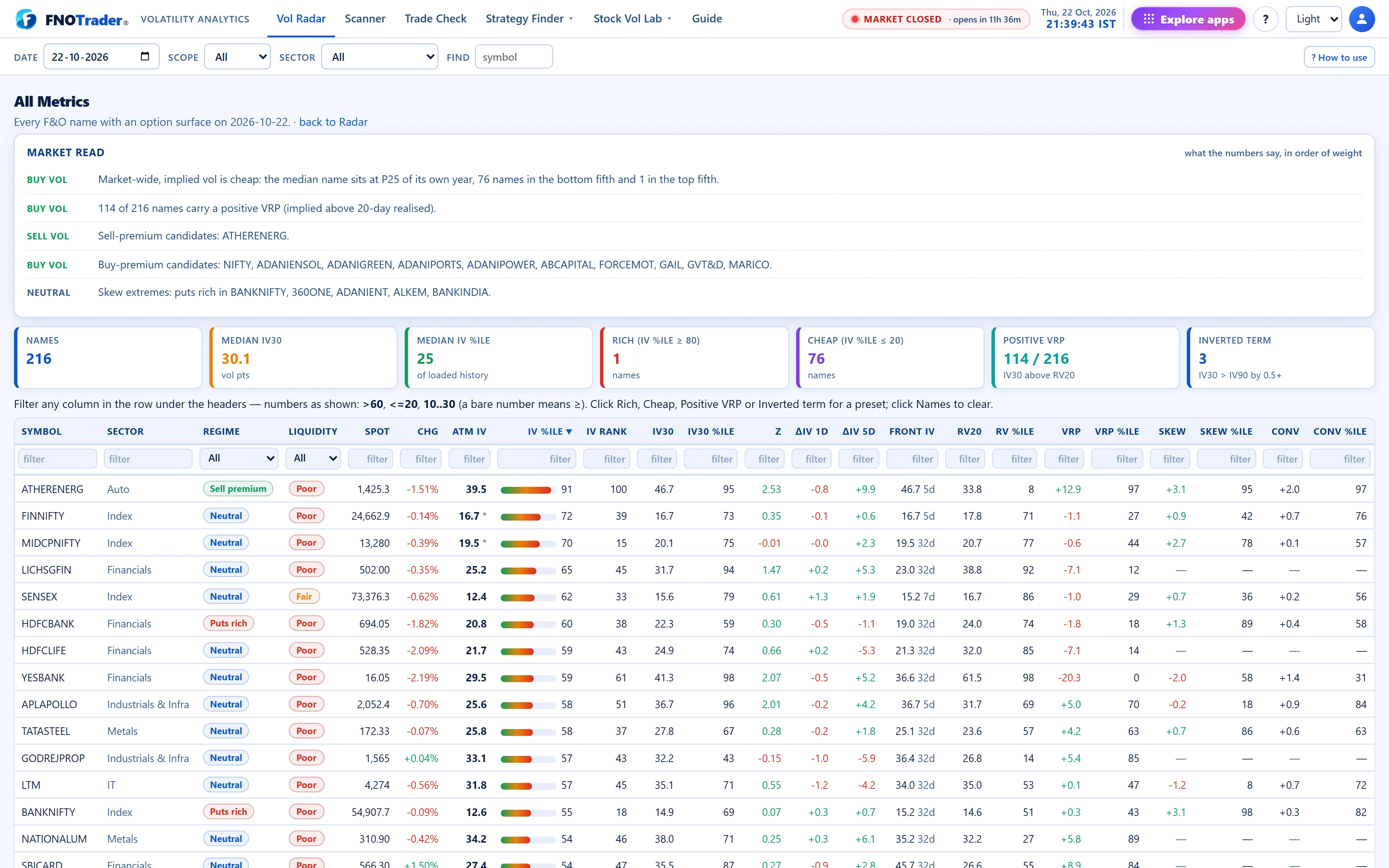
All Metrics has one row per name and a filter box under every column header. Numeric columns accept:
| You type | Meaning |
|---|---|
>60 | greater than 60 |
<=20 | 20 or less |
10..30 | between 10 and 30, inclusive |
=5 | exactly 5 |
60 | a bare number means 60 or more |
Values are in the units the column shows (percentiles 0–100, vol points, percent). Text columns match on “contains”. An expression that cannot be read turns the box red and is ignored rather than silently hiding rows.
Four tiles above the table are one-click presets that fill the filters for you: Rich (IV %ile ≥ 80), Cheap (IV %ile ≤ 20), Positive VRP (VRP > 0) and Inverted term (slope > 0.5). The top bar adds Scope (all, indices, stocks), Sector and a symbol search.
Scanner: build and save your own
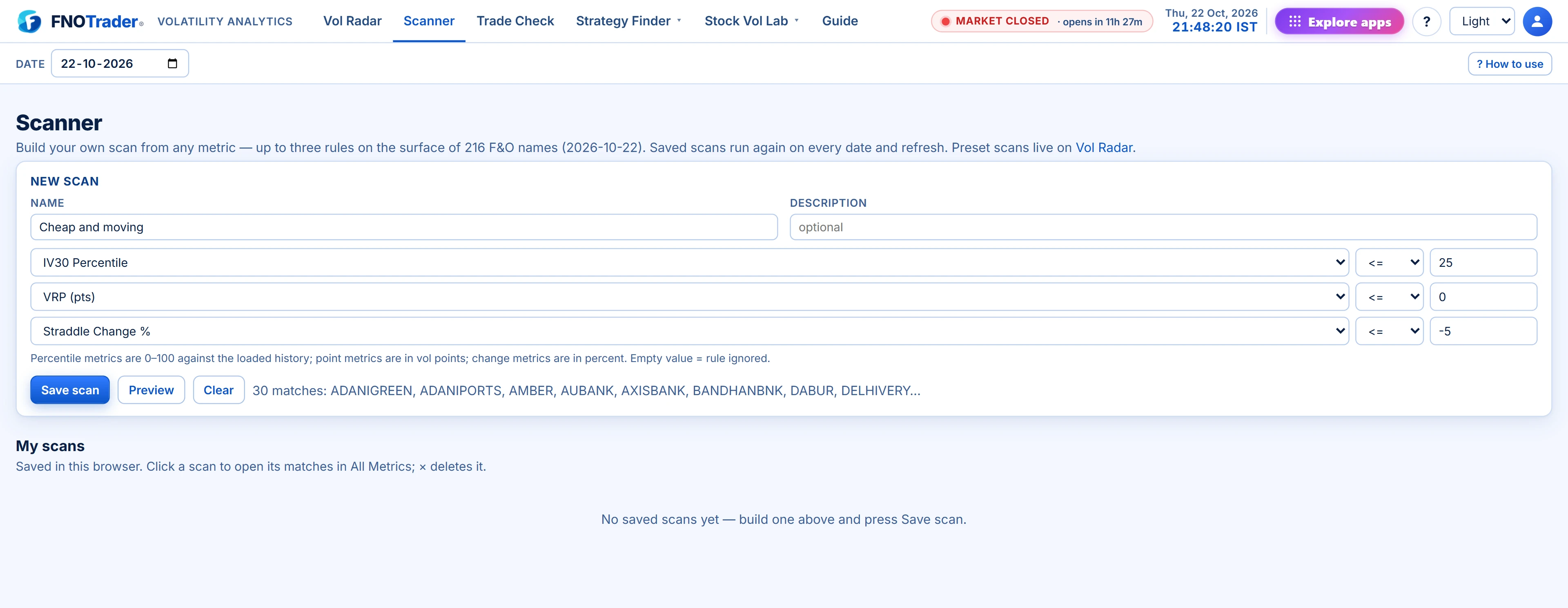
The Scanner page combines up to three rules, each a metric, an operator (≥, ≤, >, <) and a value, from 20 metrics including IV and RV percentiles, IV Rank, IV30 z-score, one- and five-day IV30 change, VRP and its percentile, skew and convexity and their percentiles, term slope, straddle change and percentile, spot change, primary DTE and put-call OI ratio. A rule with an empty value is ignored.
Preview shows the match count and the first names before you save. Save scan stores it under My scans. Saved scans re-run on whatever date is selected, so the same rules work as a back-check on any past session.
Saved scans live in this browser. They do not follow you to another device or browser, and clearing site data removes them.
A worked example
Question: which names have put skew that is unusually steep while the at-the-money level is ordinary — a wing-specific opportunity rather than a general one?
- Rule 1: 25Δ Put Skew Percentile ≥ 85.
- Rule 2: IV30 Percentile ≤ 60.
- Rule 3: Primary DTE ≥ 7, to skip the expiring week.
Preview, save as “Steep puts, normal body”, and open the matches. In All Metrics, sort by skew and check the liquidity column before reading any further: a P95 skew on a book with five lots of depth is a number, not a trade.
Common mistakes
- Reading a percentile without the sample size. Percentiles are against the loaded history (shown in the Radar header) and are blank with fewer than five sessions.
- Treating a scan hit as a decision. A scan narrows the list; the Stock Vol Lab pages tell you whether the number is real.
- Expecting a missing value to pass. A name with no usable skew fails every skew rule.
Where to find it
- Open Volatility Analytics › Vol Radar; the scan groups sit below Today’s picks.
- Click “All Metrics” (the banner at the top) for the full table.
- Click the Scanner tab to build, preview and save your own scans.
Common questions
How do I filter for a range in the All Metrics table?
Type two numbers with two dots between them, for example 10..30, in the filter box under the column. Both ends are included.
How many rules can a custom scan have?
Up to three. Each rule is one metric, an operator and a value; rules with no value are ignored.
Where are my saved scans stored?
In your browser. They re-run on any date you select, but they do not sync across devices or browsers.
What does the Straddle bid up scan look for?
Names whose ATM straddle, measured as a percentage of the forward, is 10% or more above the previous session's for the same expiry.
Can I run a scan on a past date?
Yes. Change the date in the top bar and every preset and saved scan re-runs on that session's surface.
More on Volatility Analytics
More in Volatility Analytics · App: Volatility Analytics · Definitions: glossary · All: every article