Two layers above your strategies
Strategy stops protect a trade. Risk limits protect the day.
Algo has two layers. Your limits apply to you across every strategy. Per-broker hard limits apply to everything routed through one broker account, across all portfolios. Both reset at IST midnight. Leave a field at 0 and that check is off.
Your limits: max daily loss and max daily trades
| Limit | How it works |
|---|---|
| Max daily loss ₹ | Watches realised P&L — booked from closed legs — for the IST day. When it reaches −limit, the kill switch trips. |
| Max daily trades | Caps entry orders for the day across all strategies. Once reached, no further entries are placed. |
When the kill switch trips, the strategy whose exit crossed the limit squares off its remaining legs, no strategy places a new entry or re-entry, and no new strategy can start. That holds until IST midnight, or until you press Reset today.
Because it reads realised P&L, the kill switch reacts to booked losses. A large open loss that has not been closed does not trip it on its own; each strategy's own stops still manage those positions.
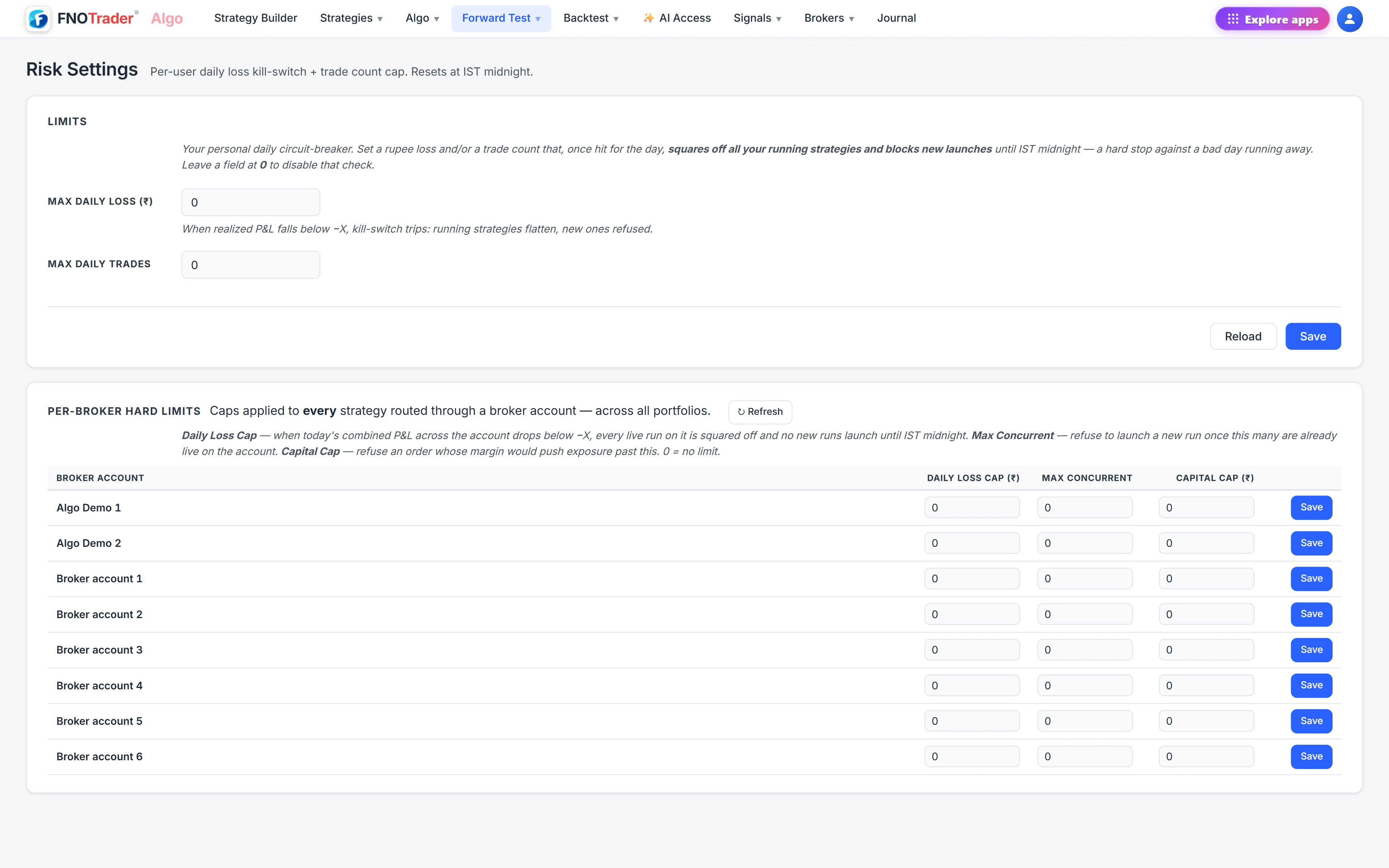
Per-broker hard limits
| Limit | How it works |
|---|---|
| Daily loss cap ₹ | Adds up today's P&L of every live run on the account, open positions included. At −cap, every live run on it is squared off and no new runs launch on it until IST midnight. |
| Max concurrent | Refuses to launch another run once this many are live on the account. |
The two loss limits complement each other. The per-broker cap watches running P&L including open positions and flattens the account; your max daily loss watches booked P&L across everything and stops new trading. Use both if you run more than one account.
Today's State
The Today's State card is the live tally the kill switch reads: realised P&L so far today, trades today, and the kill switch as OK or TRIPPED. It resets by itself at IST midnight.
Reset today clears it manually. Treat that button as a decision, not a convenience: the limit existed for exactly the moment you now want to remove it.
A worked example
Hypothetical settings: max daily loss ₹15,000; Account A daily loss cap ₹12,000.
- 10:30 — Strategy 1 on Account B exits at −₹9,000. Realised for the day: −₹9,000. Nothing trips.
- 11:15 — Strategy 2 on Account A is open at −₹8,000 and Strategy 3 on Account A at −₹4,500. Account A's combined P&L is −₹12,500, past its cap: both are squared off and Account A launches nothing more today.
- Those exits book about −₹12,500, taking realised to about −₹21,500, past −₹15,000. The kill switch trips: no new entries on any account until midnight.
Without the broker cap, the kill switch would have waited for Strategy 2 and 3 to close by their own stops before reacting.
Choosing the numbers
A limit set from a feeling is usually either never reached or reached every week. Two better anchors:
- From the backtest. Look at the worst days in the report and the Monte Carlo drawdown range for the strategies you run together. A daily limit somewhat beyond the worst normal day stops the abnormal one without cutting ordinary losing days short.
- From the account. Decide what share of the account you will accept losing in a single day, and set the cap there regardless of what the strategies would like.
Set Max daily trades a little above what your strategies need, including re-entries. Its job is to catch a strategy entering again and again by mistake, not to ration normal trading.
Where to find it
- In Algo, open Risk (under Algo for live, or Forward Test).
- Under Limits, enter Max daily loss and Max daily trades and click Save.
- Under Per-Broker Hard Limits, set a daily loss cap and max concurrent for each account.
- Check Today's State during the session.
Portfolio-level caps are covered in portfolios.
Common questions
When does the Algo kill switch reset?
Automatically at IST midnight. You can also clear it earlier with Reset today on the Risk page.
Does the daily loss kill switch count open positions?
No. It counts realised P&L from closed legs. The per-broker daily loss cap is the limit that includes open positions.
What happens to my strategies when the kill switch trips?
The strategy whose exit crossed the limit squares off its remaining legs, no strategy places new entries or re-entries, and new strategies cannot start until midnight or a manual reset.
Can I set different loss limits per broker account?
Yes. Each broker account has its own daily loss cap and max concurrent limit under Per-Broker Hard Limits on the Risk page.
More on Algo & Backtesting
More in Algo & Backtesting · App: Algo & Backtest · Definitions: glossary · All: every article