What the footprint view is answering
A candle tells you where price went. A footprint tells you how much traded at each price on the way, and which side was doing the pushing.
Every candle is split into horizontal rows, one per price step. Each row holds two numbers: volume classified as selling and volume classified as buying. If the concept is new to you, start with footprint charts explained; this post is about the settings in the FNOTrader app.
All numbers in the cells are shown in lots, not shares or units, so a NIFTY cell reading 12 means twelve lots traded at that price in that bar.
The four views, and when each one reads best
The View dropdown in the toolbar changes how the same data is drawn. Nothing is recalculated — only the picture changes.
| View | What each row shows |
|---|---|
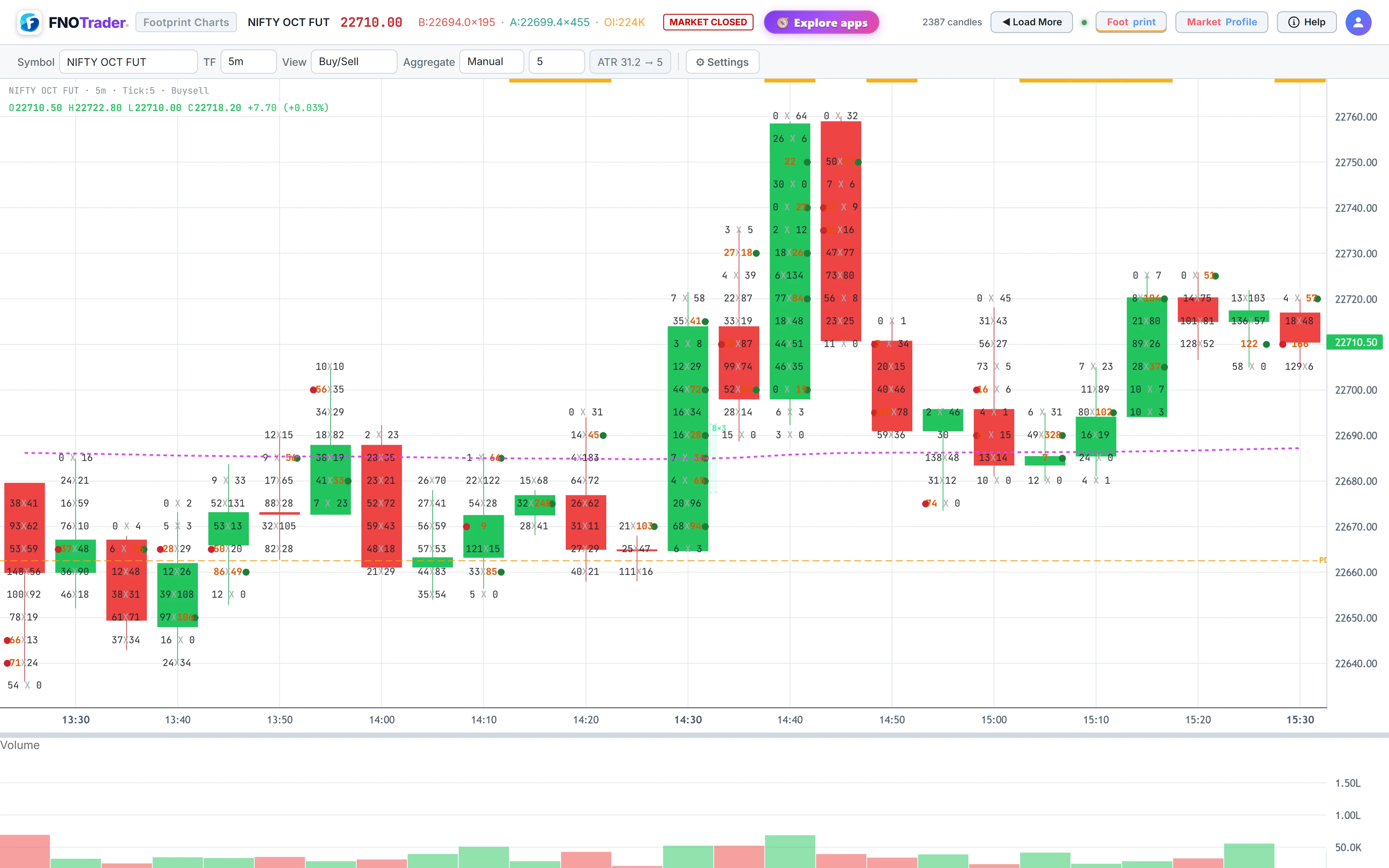
| Buy/Sell | Two numbers per row, sell x buy. Sell volume on the left, buy volume on the right. The most literal view. |
| Delta | One number per row: buy minus sell. The cell is shaded green or red by sign and darker as the delta grows. A thin candle sits beside the column. |
| DeltaBar (default) | A horizontal bar per row whose length is that row's delta relative to the largest delta in the candle, coloured by sign. Under Settings you can switch the number on the bar between delta and buy/sell. |
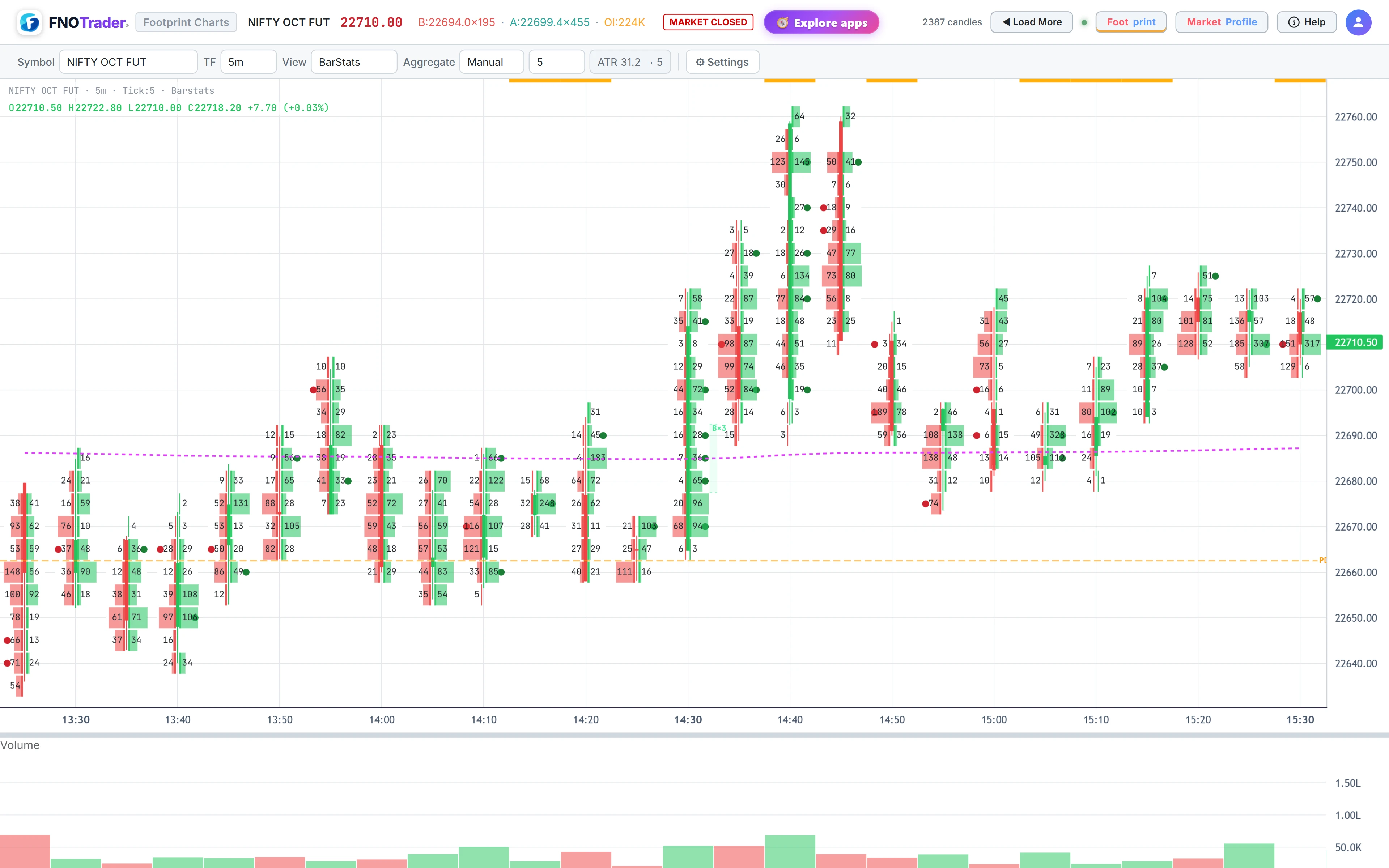
| BarStats | Sell volume grows left and buy volume grows right from a thin centre candle, both scaled to the busiest cell in the candle. |
Buy/Sell is best when you are checking a specific imbalance. DeltaBar is the quickest to scan across a whole session because your eye picks up long bars without reading numbers. BarStats shows the shape of participation — where volume clustered — better than either.
Timeframes and row size
The TF selector offers 1, 3, 5, 15 and 30 minute bars; 5 minutes is the default. Shorter bars give you more candles with fewer rows each; longer bars give fewer, taller candles.
The Aggregate control sets the height of each price row:
- Manual — pick a step from the list (0.25 up to 50 points) or choose Custom and type your own.
- Auto — the row size is derived from the instrument's average true range over the last 14 five-minute bars, divided so an average bar has roughly five rows, then snapped to a round step such as 1, 2, 5, 10 or 25. The badge beside the control shows the ATR and the step it produced.
The smallest meaningful row is the instrument's own tick size — the minimum price move the exchange allows. You cannot see order flow finer than that, because no trade can print between two ticks.
A worked example of what row size does
Say a NIFTY future has an ATR of 50 points on 5-minute bars. Fifty divided by five is 10, so Auto picks a 10-point row and a typical bar has about five rows.
Now switch to Manual and choose 2. The same bar now spreads across about 25 rows. Each row holds a fifth as much volume, so the numbers get small and noisy, and an “imbalance” can appear simply because one row caught three trades and its neighbour caught none.
Go the other way to 25 and the bar collapses to two rows. You lose the ability to see where inside the bar the buying happened. Neither is wrong — but the conclusions you draw from imbalances and signals change with this one setting, so pick it deliberately and keep it fixed while you compare days.
How a trade becomes a “buy” or a “sell”
Indian exchanges do not publish which side initiated each trade. The footprint therefore uses the tick rule, applied to each update of the live feed:
- If the traded price is higher than the previous update, the new volume is counted as buying.
- If it is lower, the new volume is counted as selling.
- If it is unchanged, the volume keeps the side of the previous update.
The volume itself is the change in the instrument's total traded quantity since the previous update, and all of it goes to one side.
Limits worth keeping in mind
It is an approximation. One feed update can contain several trades from both sides. The tick rule assigns the whole amount to whichever side the price change points to. Over a bar this mostly averages out; on a single row it may not.
Flat stretches inherit. In a quiet market where price sits on one tick, every trade inherits the last side. A long run of “buying” at an unchanged price may just mean the last move was an uptick.
Indices have no volume. NIFTY or SENSEX spot shows candles only. For order flow, use the future or an option contract.
How current the data is. Live, tick-by-tick updates need an active subscription and a connected broker account. With a subscription but no broker connected, the chart refreshes once a minute with closed minutes. Without a subscription you can study previous sessions only, up to 30 days back. See pricing.
None of this makes the footprint useless — it makes it a reading of aggression, not a ledger. Treat single cells with suspicion and patterns across rows and bars with more weight.
Where to find it
- Open Footprint & Market Profile and search a futures or option symbol in the Symbol box.
- Pick a timeframe in TF and a view in View.
- Set Aggregate to Auto, or Manual with a step of your choice.
- Turn imbalance marking on next — see imbalances and stacked imbalances.
Common questions
Which footprint view should a beginner use?
Start with Buy/Sell, because it shows the raw numbers and makes imbalances easy to verify. Move to DeltaBar once you are comfortable, since it is faster to scan a whole session.
Why are footprint numbers shown in lots?
Lots are how F&O traders size positions, so a cell reading in lots is directly comparable to your own order size. The app divides traded quantity by the contract's lot size.
How does Auto row size work?
It takes the average true range of recent 5-minute bars, divides it so an average bar has about five rows, and snaps the result to a round step. Manual lets you fix any step yourself.
Can the footprint row be smaller than the tick size?
No. The tick size is the smallest price move the exchange allows, so no trade can print between two ticks. One tick is the finest possible row.
Is buy and sell volume on the footprint exact?
No. Indian exchange feeds do not mark the aggressor, so trades are classified with the tick rule: an uptick counts as buying, a downtick as selling, and an unchanged price keeps the previous side. It is a good approximation over bars, weaker on single cells.
More on Footprint & Market Profile
More in Footprint & Market Profile · App: Footprint & Market Profile · Definitions: glossary · All: every article