Why a screenshot, and what else it sees
The footprint and profile are drawn on a canvas. To the page's text they are pixels, so the bid-ask numbers are not part of what Ask AI reads.
Without an image, the assistant gets the page's visible text — the symbol, settings and labels around the chart — and can answer about those. With an image it can read the cells, the delta row and the profile's shape. A question with an image always goes with the full page context. More in how Ask AI reads your screen.
Up to three images per question, PNG, JPEG, WebP or GIF. Press Ctrl+V in the box, drag a file onto the panel, or use the clip button.
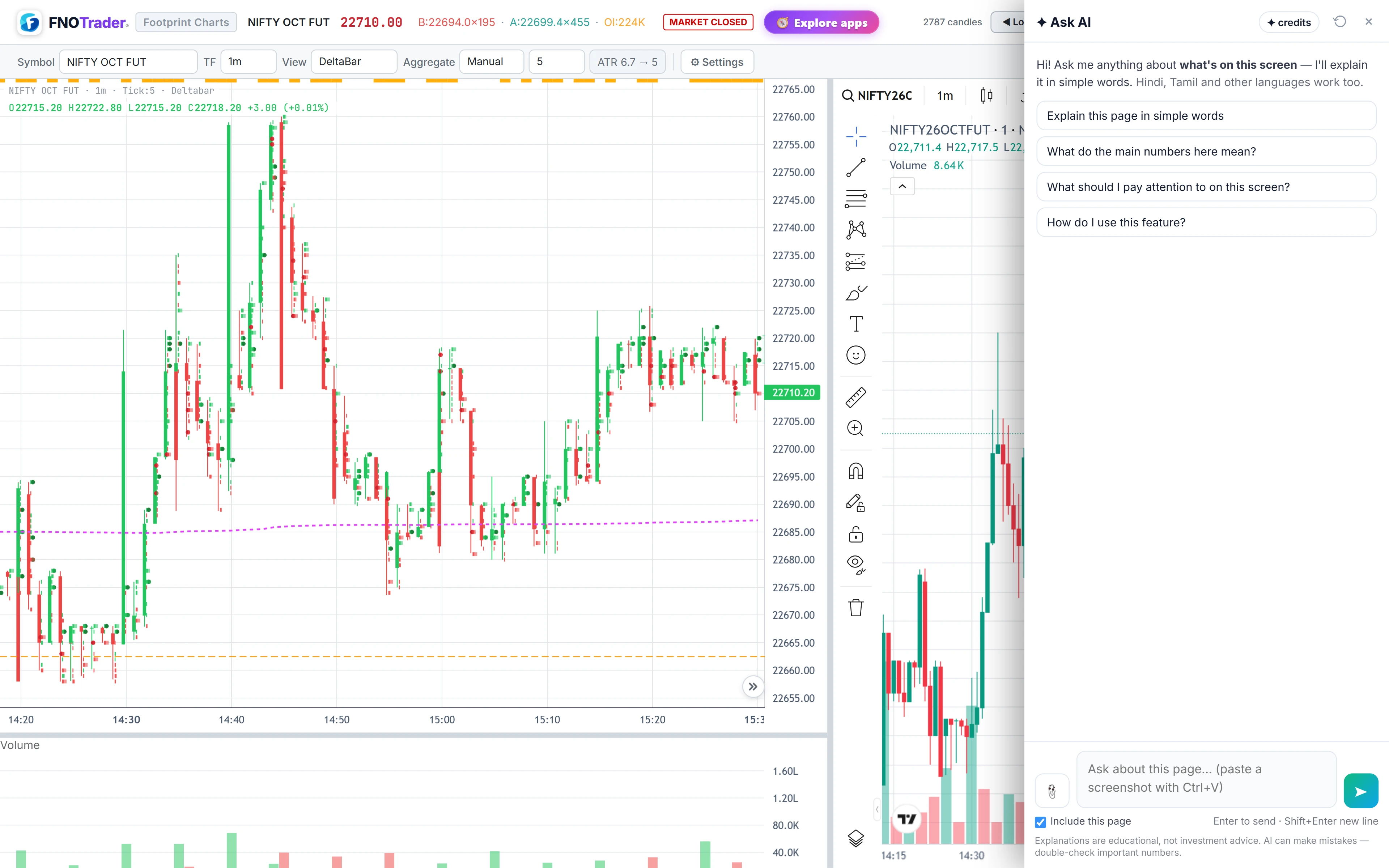
How to take a screenshot it can read
- Crop tight. The last five to ten bars with the price scale visible beat a full screen of unreadable cells. Large images are resized before sending.
- Keep the scale and times. Without the price axis, “at the high” has no price.
- Include the delta or CVD pane when the question is about delta.
- One question per image. Ask about absorption, then ask about imbalances.
The conversation keeps its recent turns as text, but images go only with the question they were attached to. For a follow-up about the same bars, attach the screenshot again.
Questions that work
| Chart | Ask (with a screenshot) |
|---|---|
| Footprint | “Is there absorption at the high of this candle?” · “Where are the stacked imbalances here, and on which side?” · “Is delta confirming this move or diverging from price?” |
| Bottom pane | “What is the CVD in this image saying about the last push?” |
| Market Profile | “Where are POC and the value area on this profile?” · “What day type does this profile look like?” · “Are there single prints here?” |
With an image attached the page always goes along, so wording matters less here; a screen word still keeps the answer about your chart rather than about footprints in general.
A worked example: absorption at a high
Say your screenshot shows the last 5-minute candle on NIFTY futures. At the top price the ask side shows 2,400 contracts bought and the bid side 300, yet the next two cells above are empty and the bar closed in the lower half. Example numbers.
Ask: “Is there absorption at the high of this candle?”
A good answer reads it as possible absorption: heavy buying at 2,400 versus 300 — eight to one — failed to lift price further, and the close in the lower half says sellers met it. Then it adds what would confirm or deny it, such as the next bar trading back through that price. The concepts are in absorption and exhaustion and stacked imbalances.
Limits
- It reads pixels. Tiny or blurry cells get misread; check any number that matters against the chart.
- One moment in time. A screenshot is a still. Ask again with a new one as bars form.
- Settings matter. Row size, imbalance ratio and the footprint type change what the cells mean; mention them in the question if they are not visible in the crop.
- Tendencies, not signals. It describes order flow; it will not call a trade.
- Credits. Questions with images and a busy page use more AI credits than short ones; see /pricing.
How to open it
- Open Footprint & Market Profile and set up the chart.
- Take a cropped screenshot to the clipboard.
- Click the Ask AI button at the bottom-right, press Ctrl+V in the box and type the question.
For more question ideas across apps see good questions app by app.
Common questions
Can Ask AI read a footprint chart?
Yes, from a screenshot. The chart is drawn as an image, so paste or attach a cropped screenshot with the price scale visible.
How many screenshots can I attach?
Up to three per question, as PNG, JPEG, WebP or GIF.
Can Ask AI find POC and value area?
From a Market Profile screenshot it can point out POC, the value area and single prints, and say whether price is inside value.
Do I need to re-attach the screenshot for a follow-up?
Yes. Only the current question carries images; earlier turns are kept as text.
Will it tell me to buy on absorption?
No. It explains what the order flow shows and what would confirm it, but does not recommend trades.
More on Footprint & Market Profile
More in Footprint & Market Profile · App: Footprint & Market Profile · Definitions: glossary · All: every article