Three tabs, one question each
Monitoring answers “what will fire”. Orders answers “what was sent”. Logs answers “why”.
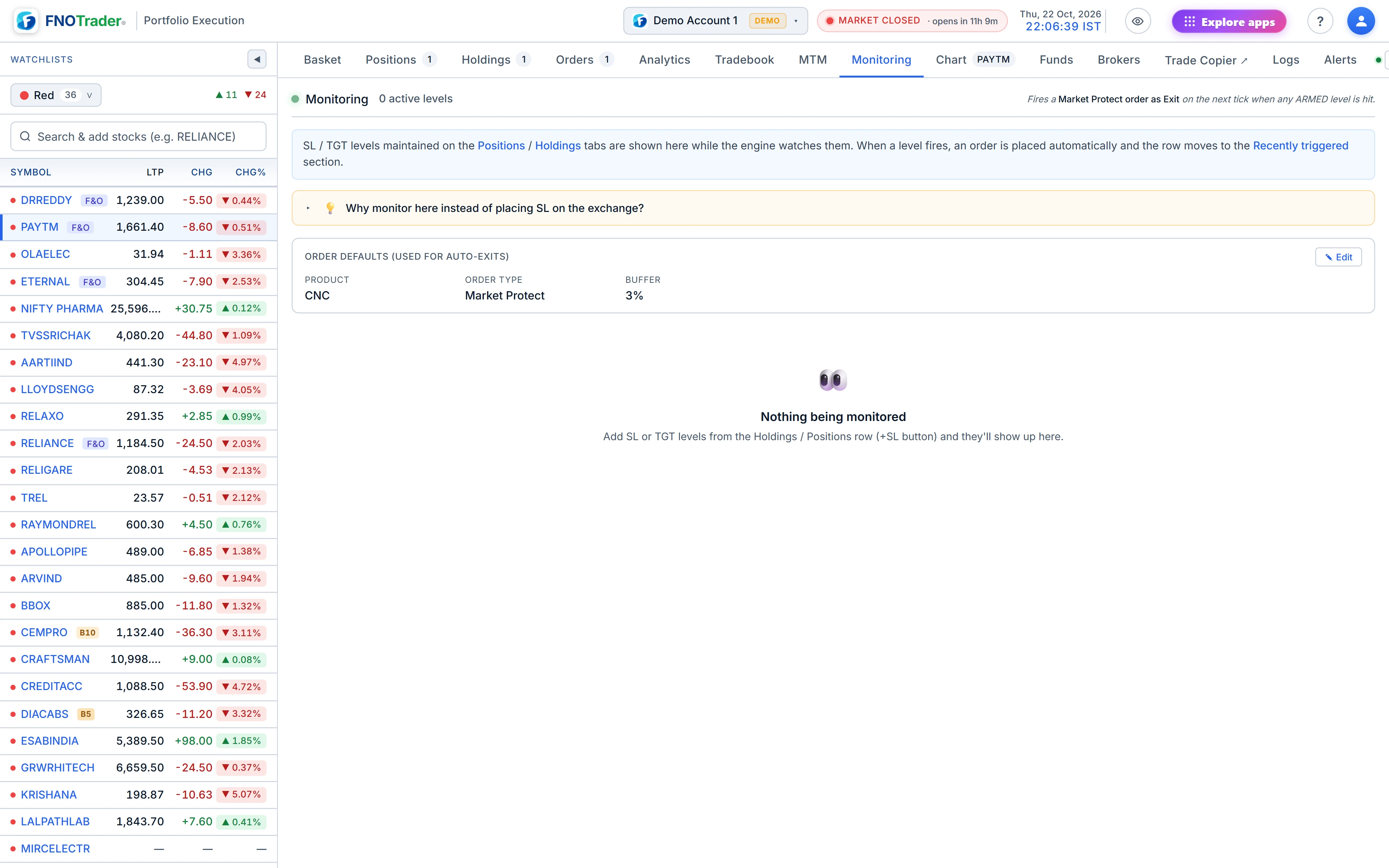
Keeping these apart is deliberate. An armed stop is not an order — it sits on the server until the price reaches it — so it does not appear in the broker's order book. If you only look at Orders, you will think you have no protection. That is the reason the Monitoring tab exists.
Reading the Monitoring tab
The active section groups levels by stock, with the live price on the first row. Each level shows:
| Column | How to read it |
|---|---|
| Type | SL, TGT or trailing SL. A trailing SL shows its gap; hover for trigger, gap and the current reference price. |
| Side and quantity | Long or short, and the slice this level will close. |
| Distance | Trigger minus LTP, in ₹ and %. Negative means the price has to fall to fire it, positive means it has to rise. A long position's stop is normally negative. |
| Status | Active, or the outcome once it has fired or been cancelled. |
Rows within 0.5% of their trigger are highlighted so the urgent ones stand out. The tab refreshes every few seconds, so a level flips to fired almost as soon as it does. Each active row has a cancel button.
Below, recently triggered lists the levels that fired or were cancelled today, with the broker order id where there is one. The list resets at 01:00 IST each day.
Re-entry watches
When a stop with the re-entry rule fires, a watch appears in its own section: the stock, quantity, the recovery price it is waiting for, and a live countdown to expiry. A watch that fires is marked Re-entered; one that runs out is marked expired. You can cancel an armed watch here. The rule itself is explained in trailing SL and re-entry.
Orders: what was actually sent
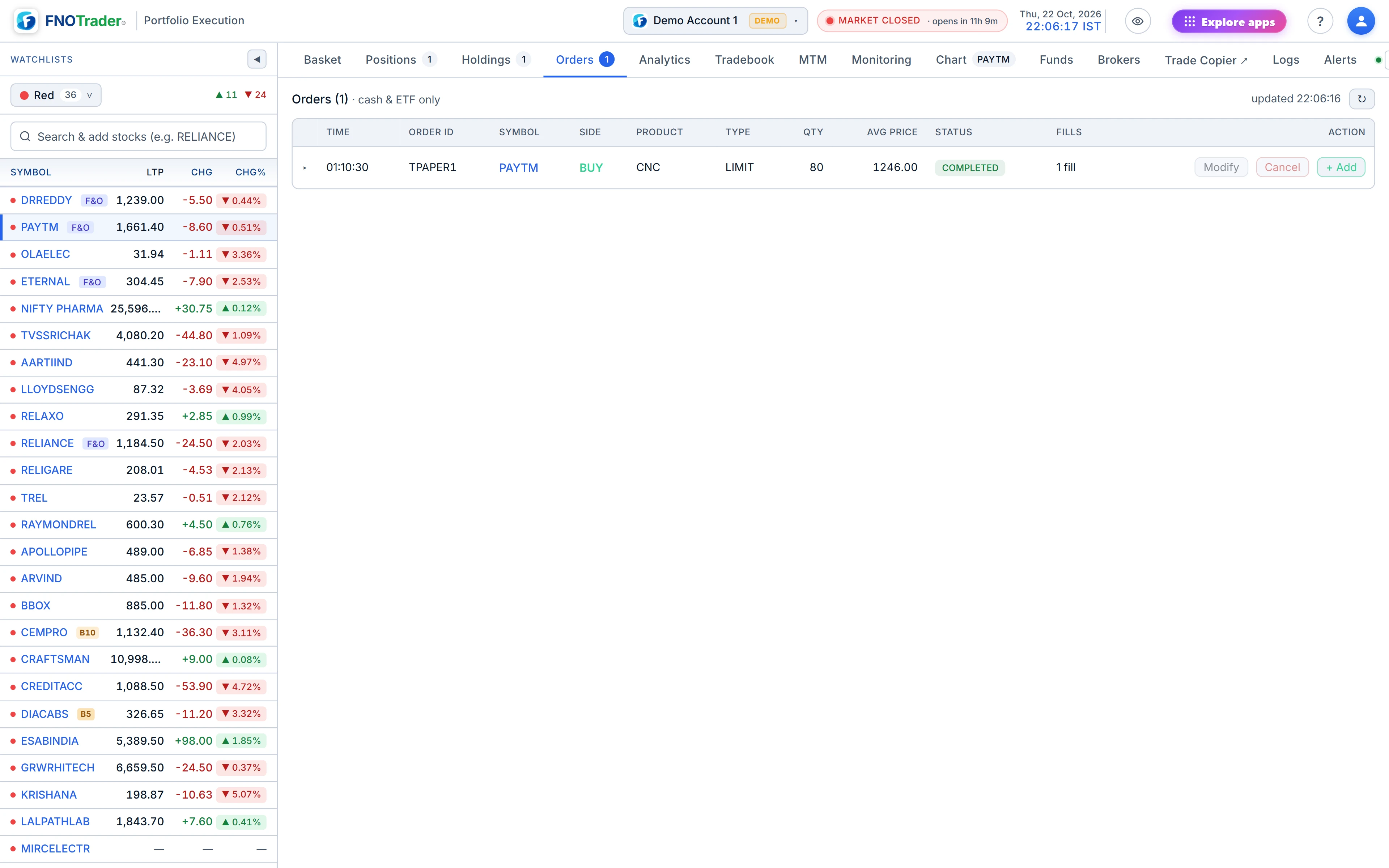
Orders lists the day's orders from the broker, with open and executed split on a phone. The Source column separates orders placed from this app from orders placed elsewhere — the broker's own app, another tool — which show as External. That matters when you are reconciling: an External order that closed a position is why its levels were cleaned up.
Logs: the reason behind each order
Logs is an audit trail of order and level events only, without system noise:
- order placed, modified or cancelled, with side, quantity, type, price and order number;
- SL or TGT added, updated (old price → new, whether from a chart drag or the trail) or cancelled;
- any of these that failed, shown in red.
Every order row carries a reason: Alert, Basket, SL hit, TGT hit, Trail SL, Manual, Manual exit, or the re-entry tag. Times are in IST. A filter box narrows by symbol, order number or event.
A worked example. You open Logs after lunch and find, for one stock, “SL updated 488.00 → 493.00” twice and then “Order placed · SELL 100 · Trail SL”. That reads as: the trail ratcheted twice, the price fell back through ₹493, and the stop sold 100 shares. Orders shows the same sale with its fill price.
Common mistakes
- Placing a second stop at the broker “to be safe”. If both fire you sell twice the quantity. Use one or the other.
- Reading an empty Orders tab as “no stop set”. Check Monitoring.
- Ignoring a red failed row. A stop whose exit failed has not protected you; act on it.
Where to find it
- In Portfolio Execution, open the Monitoring tab (on a phone: Orders → SL / TGT).
- Open Orders for the broker's order book and Logs for the audit trail.
- Click a symbol in Logs to open its chart.
Common questions
Why don't my stop-losses show in the broker's order book?
They are held on FNOTrader's server and sent as an order only when the price reaches them. The Monitoring tab shows them while they are armed.
What does a negative distance mean in the Monitoring tab?
The price has to fall by that amount to reach the trigger. A long position's stop-loss below the market normally shows negative.
How do I find out why an order was placed?
Open Logs. Every order row carries its reason, such as SL hit, TGT hit, Trail SL, Alert, Basket or Manual.
When does the recently triggered list clear?
It resets at 01:00 IST every day.
More on Portfolio Execution
More in Portfolio Execution · App: Portfolio Execution · Definitions: glossary · All: every article