What Ask AI sees in FNOTrader Charts
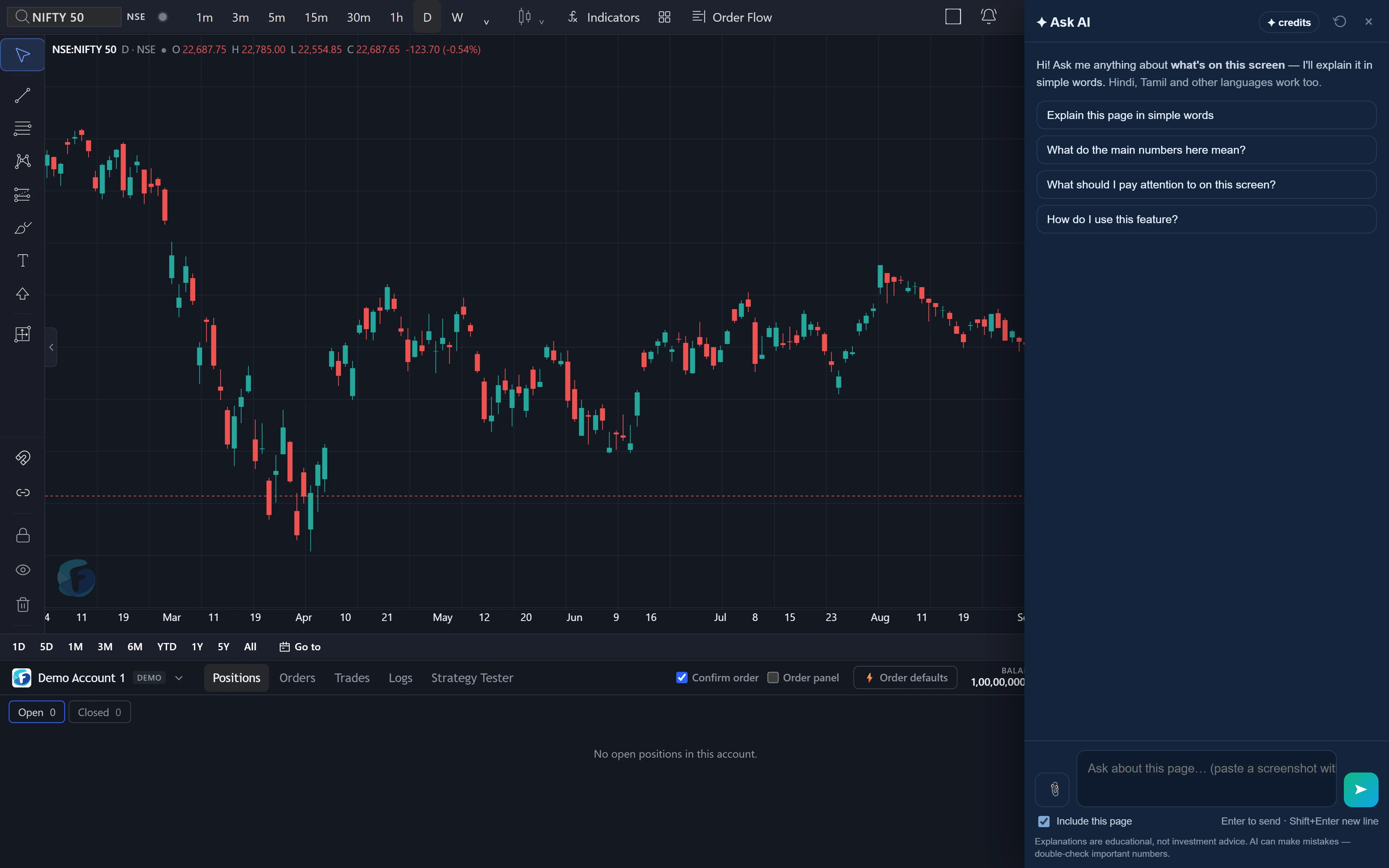
The Ask AI button sits on the chart page, the script and Community Scripts pages, and Bring your code. On these pages it reads the visible text.
The chart itself is drawn on a canvas, so the candles and indicator lines are not in that text. For any question about price action or an indicator's reading, attach a screenshot: Ctrl+V in the box, drag a file onto the panel, or the clip button, up to three images per question. More in how Ask AI reads your screen.
Two AI features, two different jobs
| Ask AI panel | Bring your code | |
|---|---|---|
| Job | Explains a chart, an indicator or a script | Writes an equivalent FTScript from code you have on another platform |
| Output | An answer in the side panel | A script, compiled and run on real bars, saved to My scripts only if it passed |
| Saves anything? | No | Yes, to My scripts |
A common flow uses both: Bring your code writes the script, the chart shows its output, and the panel explains a line of it or a reading you do not understand.
Bring your code is covered in full in an equivalent FTScript, written by AI. This post is about the panel.
Questions that work
| Where | Ask |
|---|---|
| Chart (with a screenshot) | “Is this chart trending or ranging?” · “What is the RSI in this image saying about the last swing?” · “Where are the support and resistance levels on this chart?” |
| FT indicators | “What does this OI line on the chart mean?” |
| Script page | “Explain what this script does in plain words.” · “What inputs does this script take?” |
| Your own code | “Why does this line of FTScript give a warning?” (with the line pasted into the question) |
Each has a screen word. For code, paste the few lines you mean into the question — a question can hold up to 2,000 characters — rather than relying on the editor being read.
A worked example: an indicator reading
Say your screenshot shows a 15-minute NIFTY chart where price made a higher high, while RSI(14) made a lower high, 68 against an earlier 74. Example numbers.
Ask: “What is the RSI in this image saying about the last swing?”
A good answer names it as a bearish divergence: price pushed higher with less momentum behind it, 74 falling to 68. Then it says what divergence is and is not — a sign the move is tiring, often followed by a pause or pullback, and often wrong in a strong trend — and what would cancel it, such as RSI making a new high. Tendencies, not certainties. To have that same rule on the chart as an indicator, see FTScript.
Limits
- Charts need a screenshot. Without one it sees labels, not candles.
- The panel never saves a script or changes your chart.
- One chart per screenshot works best. In a multi-chart layout, crop the pane you mean and say its symbol and interval if they are not in the crop.
- It will not call trades from a chart, and its read can be wrong.
- Credits. Both the panel and Bring your code use AI credits; see /pricing.
How to open it
- Open FNOTrader Charts while logged in.
- Copy a cropped screenshot of the chart to the clipboard.
- Click the Ask AI button at the bottom-right, press Ctrl+V and ask.
Building indicators from Claude or ChatGPT instead is covered in connecting Claude or ChatGPT.
Common questions
Can Ask AI read my chart on charts.fnotrader.com?
From a screenshot. The chart is drawn as an image, so paste or attach one and ask about it.
Can Ask AI write an FTScript for me?
The panel explains scripts. To get an equivalent FTScript from code you already have, use Bring your code, which writes, tests and saves it to My scripts.
Why does Ask AI not see my script code?
Paste the lines you are asking about into the question. That is the most reliable way to make sure it reads them.
Is Ask AI on the Options App chart the same?
The Options App's chart page sends the chart's own bars and indicator values, so no screenshot is needed there. On charts.fnotrader.com, attach one.
Will Ask AI tell me whether to take a trade from the chart?
No. It explains what the chart and indicators show but does not recommend trades.
More on Charts & Marketplace
More in Charts & Marketplace · App: FNOTrader Charts · Definitions: glossary · All: every article