Chart alerts: when they fire
A chart alert watches a price or an indicator plot and notifies you when a condition is met. Chart alerts are evaluated in your browser and fire only while a chart tab is open.
Your list of alerts is stored in your account, so it follows you to another device. That changes where the list is kept, not when an alert can fire. Close every chart tab and nothing is checked until you open one again.
If you need something to happen with the browser closed, use a server-held trigger line or stop instead — see trading from the chart.
Setting an alert
| Part | Options |
|---|---|
| Source | Price, or any plot of an indicator on the chart, including your own FTScript studies and their alert conditions. |
| Condition | Crossing, Crossing Up, Crossing Down, Greater Than, Less Than, Entering Channel, Exiting Channel. Compare against a value or another plot. |
| Trigger | Only Once; Once Per Bar; Once Per Bar Close. |
| Expiration | Defaults to the end of the trading day — 15:30 IST for NSE/BSE, 23:30 IST for MCX. Can be set to another IST time or left open-ended. |
| Notifications | In-app, toast and sound. |
“Once Per Bar Close” waits for a confirmed close and avoids alerts from a wick that pokes through a level and comes back; “Once Per Bar” fires on the first touch.
Bar replay
Replay rewinds the chart to a bar you pick and plays it forward, so you can practise reading a session without knowing what comes next. Press Replay, click a bar, and everything after it is hidden behind an opaque shade — nothing from the future leaks into a readout. Then step back, play, step forward, change speed (0.5×, 1×, 3×, 5×, 10×) or jump back to real time.
Example. At 1× replay moves one bar per second. A full session of 375 one-minute bars takes 375 seconds, a little over six minutes; at 5× it takes 375 ÷ 5 = 75 seconds.
Watchlists
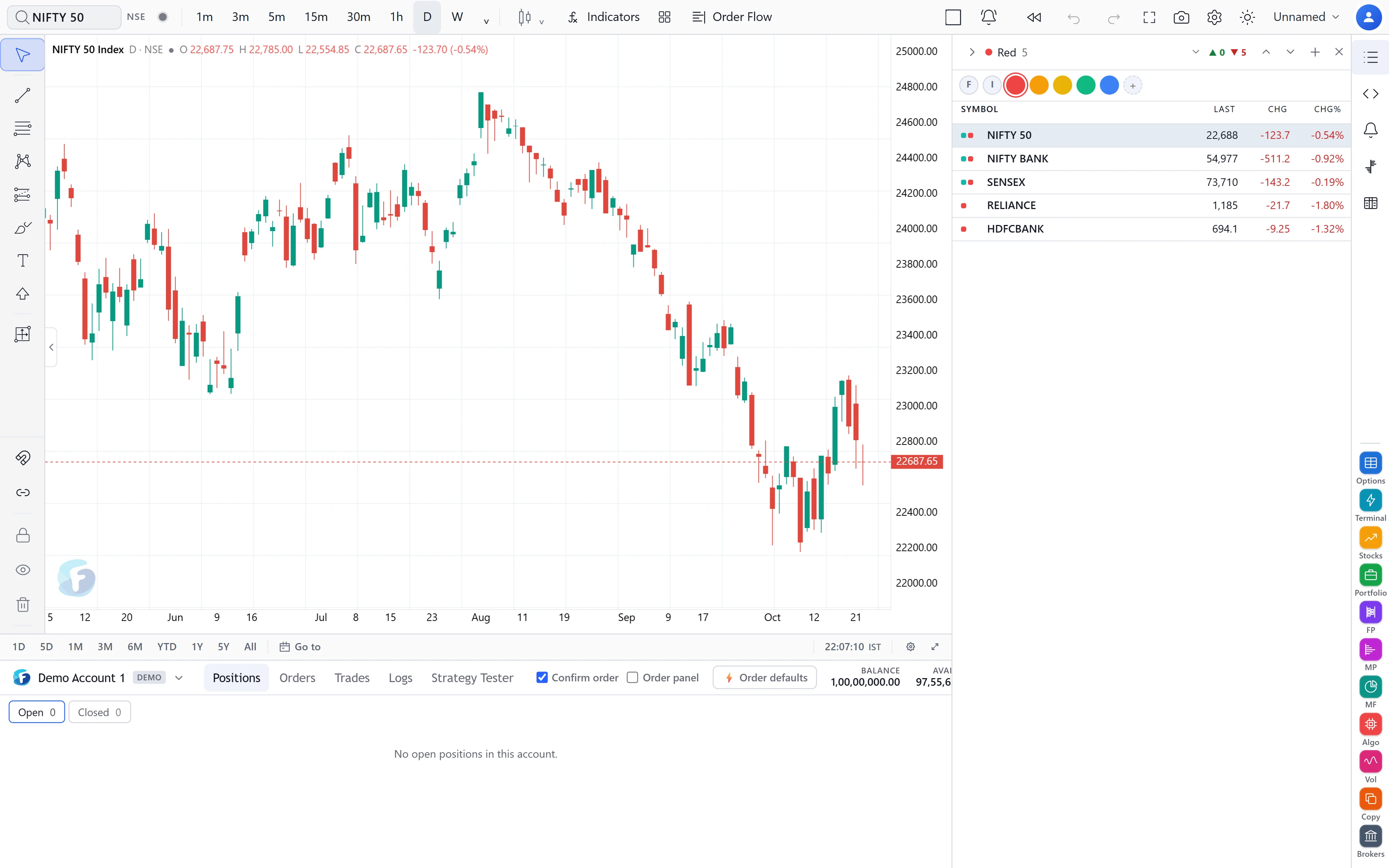
The watchlist panel supports many lists, each with a colour; create, rename, copy, clear and delete; section headings you can collapse; sortable columns remembered per list; live prices; market depth; and click-to-chart. A symbol that belongs to other lists shows their colour dots. Change is measured against the previous daily close.
Lists can be imported and exported in TradingView’s text format: one
EXCHANGE:SYMBOL per line, with ###Name lines starting a section. The
watchlist is shared with the Options app’s MarketWatch, so a list edited in one appears in the
other, on any device.
How fresh the data is, and guest mode
How current the chart is depends on your account:
- Live, streamed, with an active data subscription and a real broker account connected.
- Current data refreshed every minute with an active subscription and no broker connected.
- 15 minutes delayed, with 30 days of history, without an active subscription.
- End of day up to the previous session for signed-out visitors and accounts with no plan: daily, weekly and monthly charts.
These limits are applied on the server, not just in the page. A signed-out visitor can open the chart straight away on that end-of-day data and is asked to sign in only when they try something that needs an account — saving a script or an alert, placing an order or publishing. See pricing for what each level includes.
Common mistakes
- Setting an alert, closing the laptop and expecting it to fire. It will not.
- Reading a 15-minute-delayed price as live. Check which data level you are on before acting on the latest bar.
- Forgetting the default expiry: an alert set in the morning expires at that day’s close unless you change it.
Where to find it
- On FNOTrader Charts, open Alerts from the rail on the right of the chart to create an alert; the manager lists active and fired alerts.
- Press Replay in the top bar to start bar replay.
- Open the watchlist from the same rail; import or export from its list menu.
Related: layouts and sync.
Common questions
Do FNOTrader chart alerts work when the browser is closed?
No. Chart alerts are evaluated in the browser and fire only while a chart tab is open. Server-held trigger lines and stops work with the browser closed.
Can I import my TradingView watchlist?
Yes. Import the exported text file; EXCHANGE:SYMBOL lines and ### section headings are read.
Can I use FNOTrader Charts without an account?
Yes. Signed-out visitors get daily, weekly and monthly charts up to the previous session. Saving anything needs a free account.
How fast is bar replay?
One bar per second at 1x, with 0.5x to 10x available.
When does a chart alert expire?
By default at the end of the trading day: 15:30 IST for NSE/BSE and 23:30 IST for MCX. You can change it.
More on Charts & Marketplace
More in Charts & Marketplace · App: FNOTrader Charts · Definitions: glossary · All: every article