Three pages that answer one question
What could move this position that is not on the chart?
The Events page lists scheduled events. The Macro board shows the cross-asset backdrop those events land in. The Holiday List tells you which days the market will not open at all. All three sit under the FII/DII menu.
The Events calendar
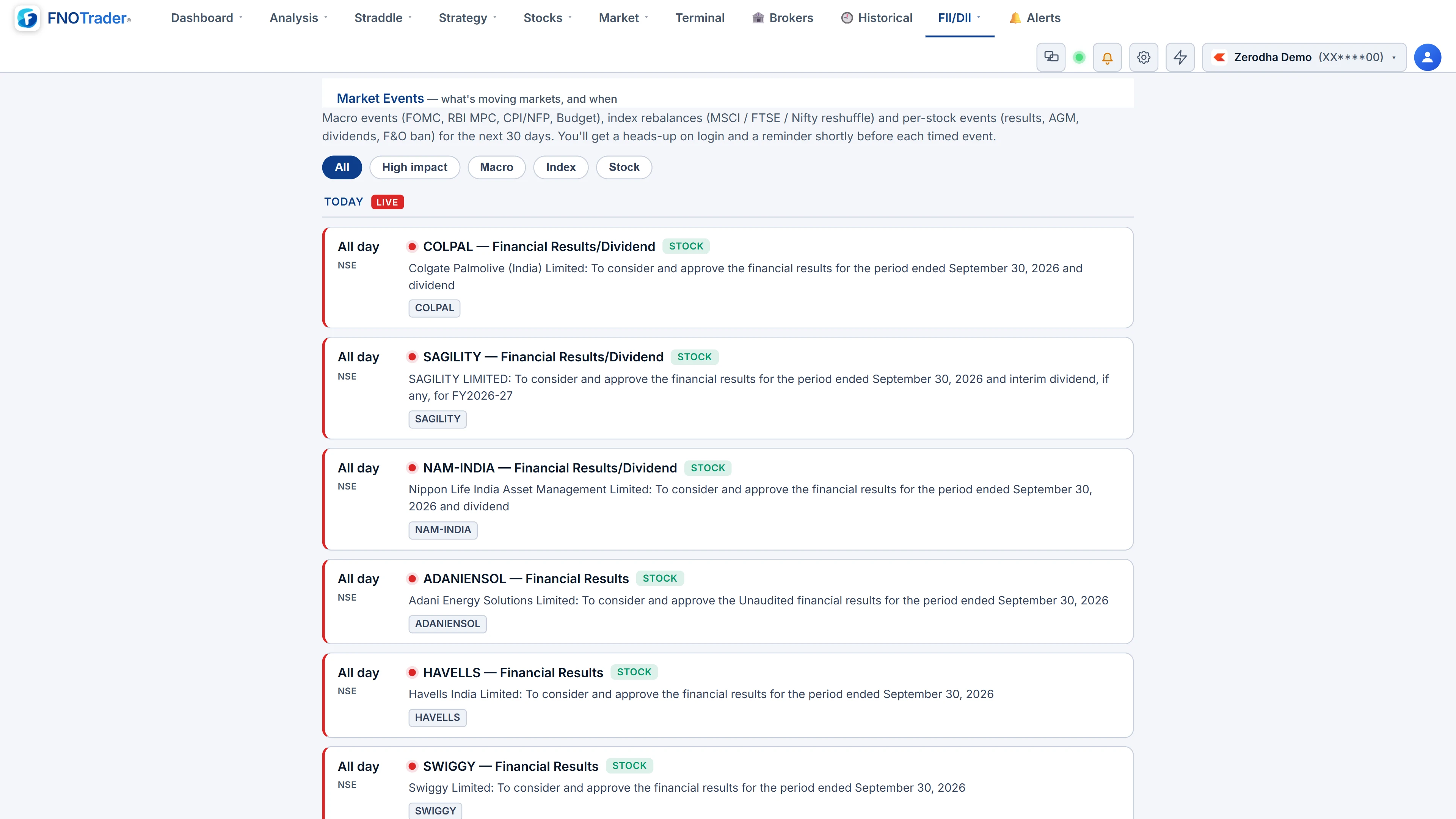
Upcoming events are grouped by day, today first, from a shared market-events feed:
- Macro — FOMC, RBI MPC, CPI and payrolls, the Budget.
- Index — MSCI, FTSE and Nifty rebalances.
- Stock and corporate actions — results, AGMs, dividends, splits, F&O ban entries.
Each card carries an impact dot (High, Medium, Low), a category chip, the IST time or "All day", and the affected symbols. Filter by All, High impact or category.
Two things reach you without opening the page. A login banner, once per IST day, summarises today's events. A T-minus toast fires a set lead before each timed event — 15 minutes unless the event specifies otherwise — and fires immediately if you log in inside that window.
Use the impact dot to decide how much attention an event deserves. A High-impact macro print moves the index and its implied volatility together; a Low-impact corporate action usually moves one stock. Before you sell premium into a session, the question is simple: is there a High-impact event between now and the time you plan to exit? If there is, the premium you are collecting is partly payment for that event, and option prices often fall sharply once it has passed — the move that matters is the one on the day, not the drop in IV after it. See expiry-day options for how this compounds on expiry days.
The Macro board
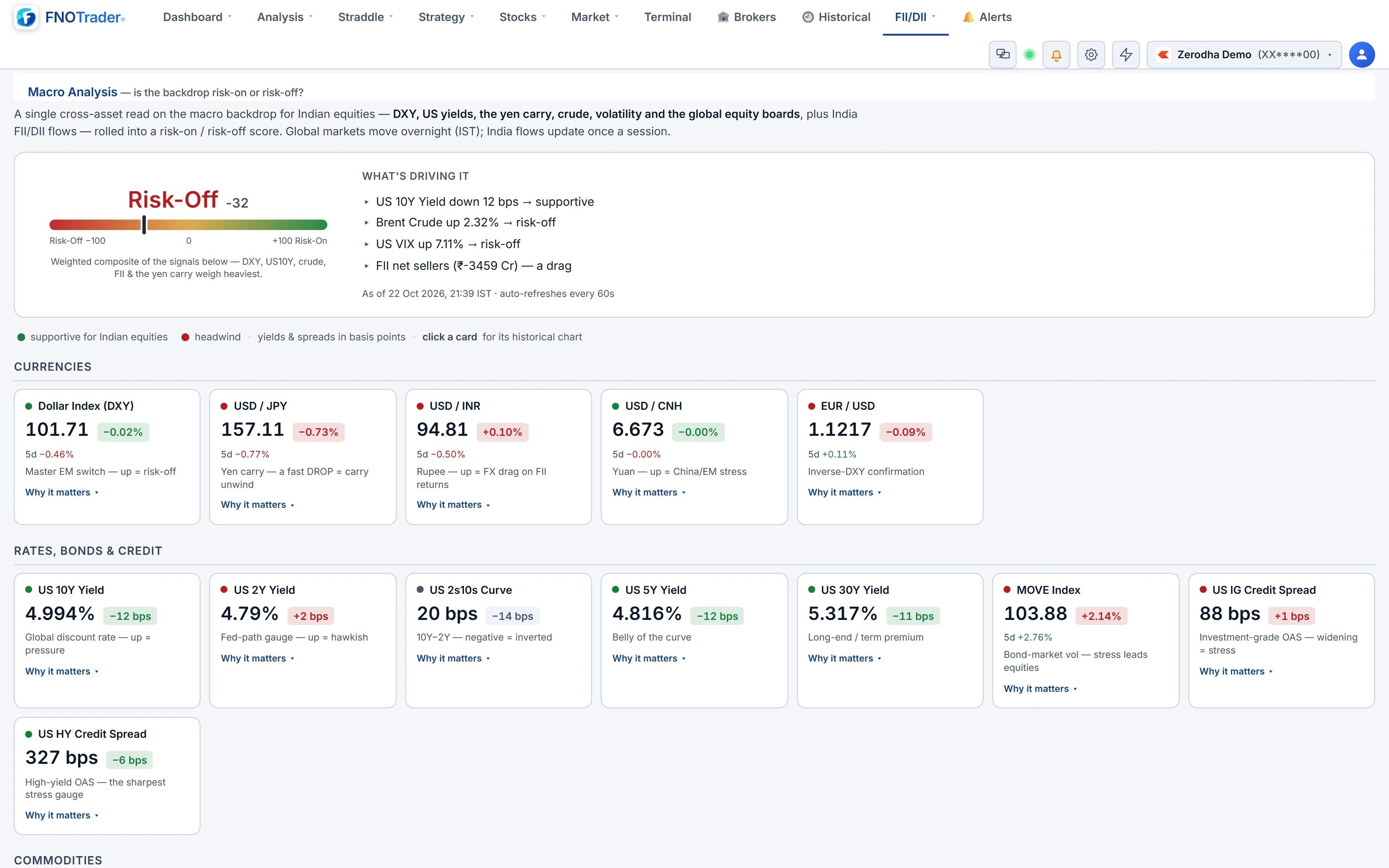
A single-glance cross-asset view: currencies, US yields, credit, commodities, volatility, global equity boards and India FII flow. Colours show the impact on Indian equities — green supportive, red a headwind — not whether the number went up or down. A tile can show a fall and still be green, because the fall is good news for Indian stocks.
Every tile has a "Why it matters" note explaining how that market feeds into Indian stocks. It refreshes every minute while open. For the reasoning behind each tile, see how to read macro signals in India and macro events that move markets.
The Holiday List
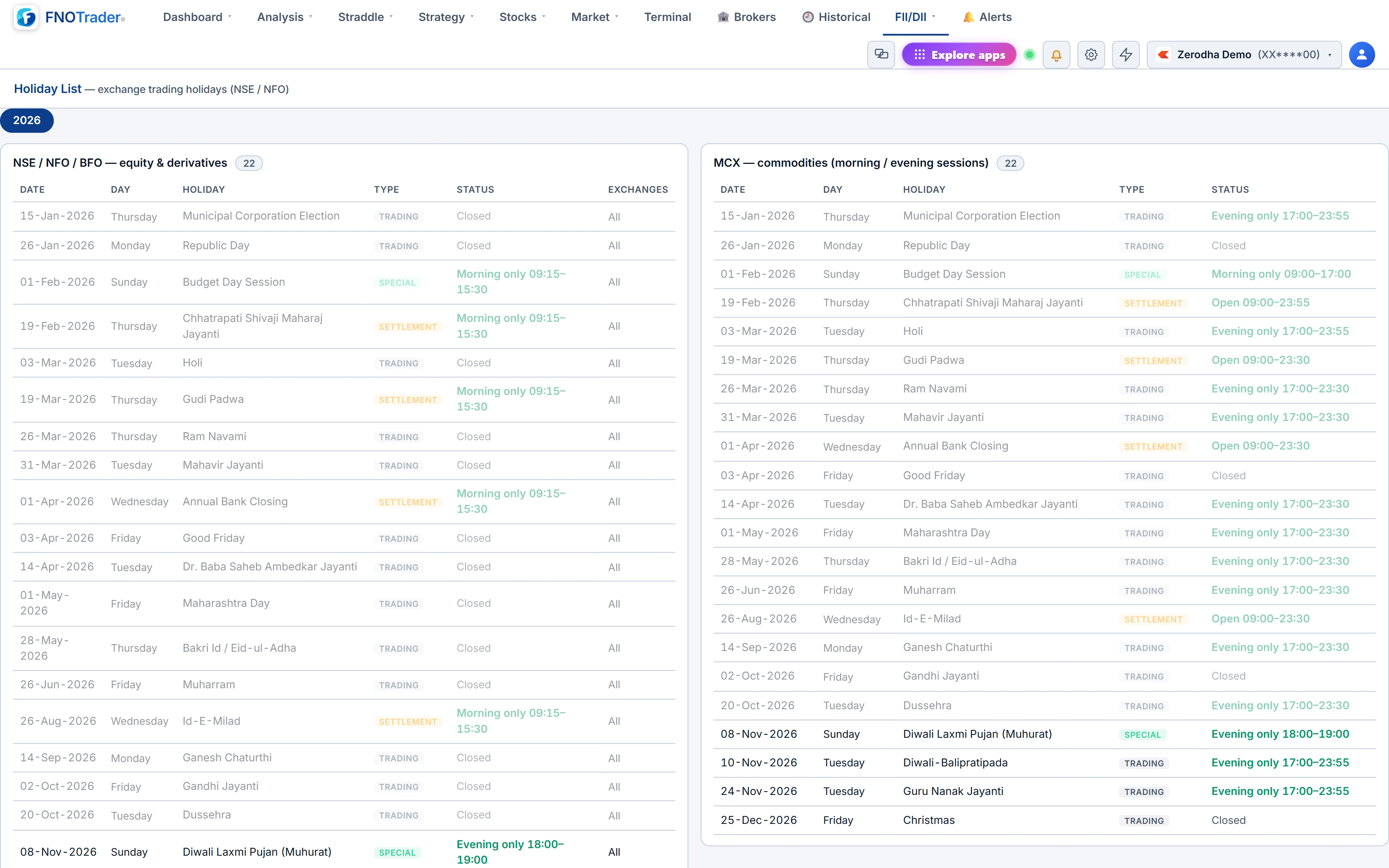
Every NSE and NFO trading holiday for the year, by name, plus special sessions such as the Diwali Muhurat trade. It is the same calendar the rest of the app uses: alerts skip these days, charts treat them as non-trading, and Demo-account weekend trading follows it.
Its practical use is counting sessions. A mid-week holiday shortens an expiry week, and the theta you expected to collect over four sessions has to happen in three.
Worked example: an event week
Hypothetical week. It is Monday; weekly expiry is Thursday; Wednesday is an exchange holiday; a High-impact rate decision is due Tuesday at 10:00 IST.
- Sessions left to expiry, counting today: Monday, Tuesday, Thursday = 3, not 4.
- The T-minus toast arrives at 09:45 Tuesday, fifteen minutes before the decision.
- If you sold a straddle on Monday for ₹180 expecting about ₹45 of decay a session over four, the holiday means the same decay has to come in three — and one of those three opens with the rate decision.
None of this tells you whether to hold the position. It tells you what the position is exposed to, which is the part most people skip.
Common mistakes
- Ignoring All-day events. Results without a fixed time can land before the open or after the close; the risk is the overnight gap, not an intraday print.
- Reading Macro colours as direction. Green means supportive for Indian equities, which can be a falling number.
- Counting calendar days to expiry. Count trading sessions, using the Holiday List.
Where to find them
- Open Options Analytics → FII/DII.
- Choose Events, Macro or Holiday List.
- On Events, filter to High impact for a quick week-ahead check.
To be alerted on a price around an event rather than its time, use options alerts with a custom expiry.
Common questions
How early does the event reminder fire?
15 minutes before a timed event by default, or the lead set on that event. If you log in inside the window it fires immediately.
What do the colours on the Macro board mean?
Impact on Indian equities: green is supportive and red is a headwind, regardless of whether the number rose or fell.
Does the holiday list include Muhurat trading?
Yes. Special sessions such as the Diwali Muhurat trade are listed alongside the closed dates.
Why does a mid-week holiday matter for options?
It removes a trading session before expiry, so the same time decay has to happen in fewer sessions.
More on Options App
More in Options App · App: Options Analytics · Definitions: glossary · All: every article