Two pages, one workflow
The feed finds the event; the grid shows you its shape.
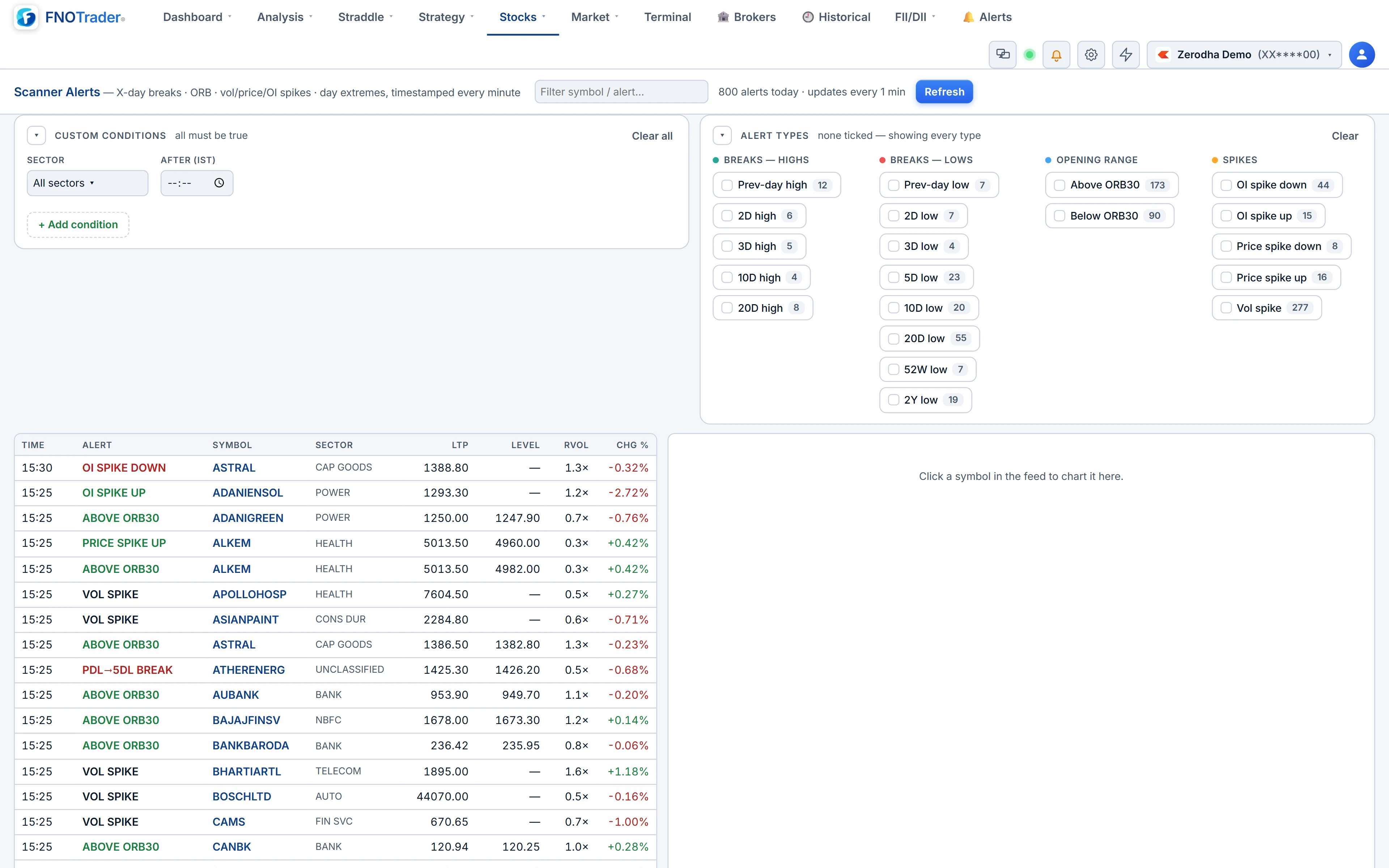
Scanner Alerts runs every minute through market hours. When a symbol newly enters a condition, it gets one timestamped row — time, symbol, what happened, the price, the level involved and relative volume. A condition that simply persists is not repeated every minute, so the feed reads like a log of the session rather than a ticker.
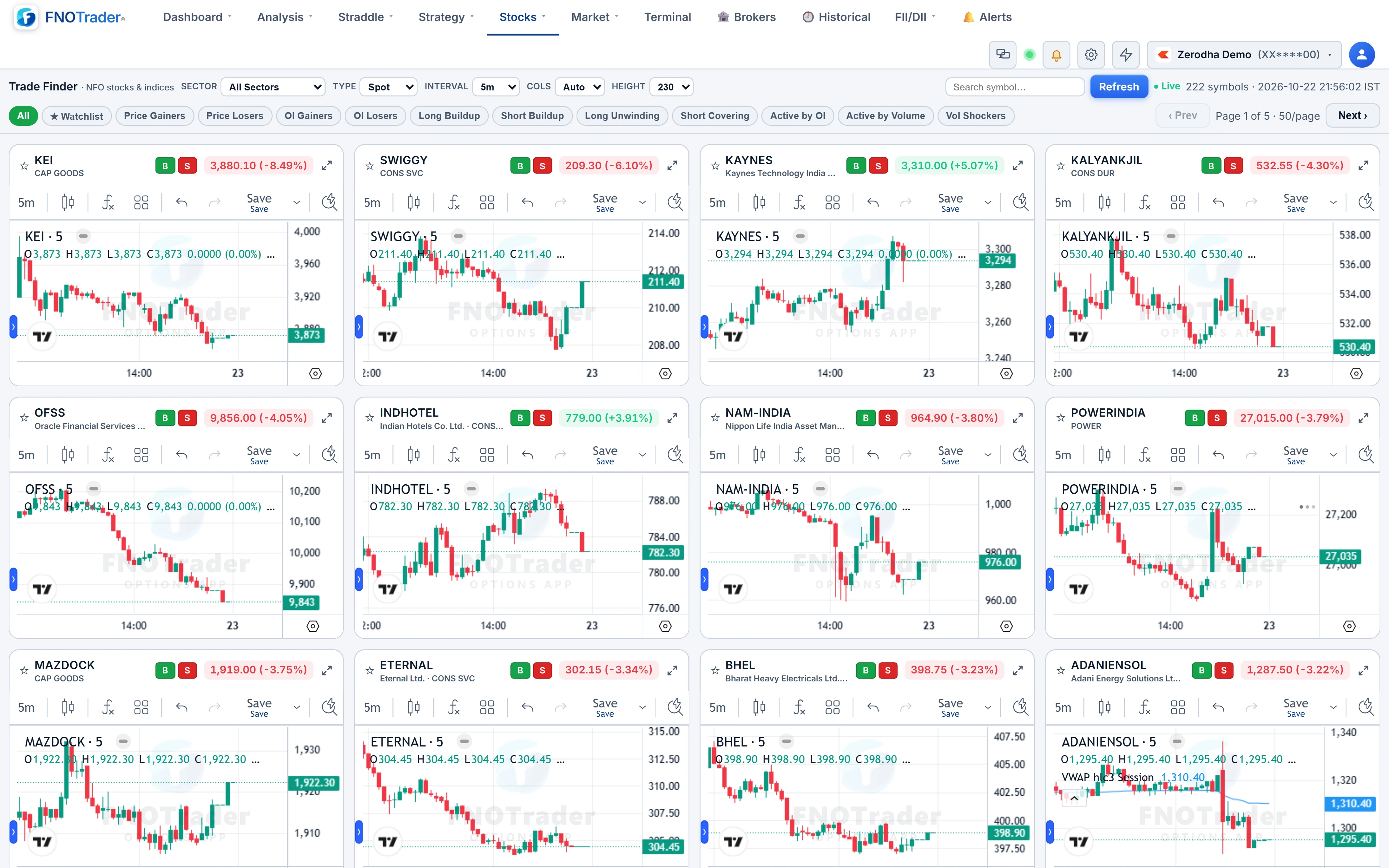
Trade Finder is a paginated wall of live candlestick charts for NFO stocks and indices, with a separate page for MCX futures, grouped by the same kinds of lenses. You scan shapes instead of rows.
What the feed records
| Event | When it fires |
|---|---|
| High / low breaks | Price takes out a prior high or low. Windows: previous day, 2, 3, 5, 10 and 20 days, 52 weeks and 2 years |
| ORB5, ORB15, ORB30 | A cross of the opening range; 5 and 15-minute ranges until 09:45 IST, the 30-minute range after |
| Vol spike | A 5-minute bar's volume far above the average of the day's earlier bars |
| Price spike up / down | A large 5-minute close-to-close move |
| OI spike up / down | Futures OI moving sharply against the day's opening OI |
| Day high / day low | A fresh intraday extreme |
Breaks are labelled by the largest window taken out, and show the chain: "PDH→20DH BREAK" means the stock cleared the previous day's high and, in the same move, its 20-day high. If it later clears the 52-week high, that is a new kind of event and a fresh row — so a strong stock escalates through the feed during the day.
On a weekend or holiday the feed keeps the last session's rows, so Friday's log is still there on Saturday.
Filtering the feed
On the left, custom conditions on Chg %, RVol, LTP and Level — all must be true — plus a sector picker and an After (IST) time, which hides the opening rush if you only care about what happens after, say, 10:30. On the right, alert-type chips grouped into families (breaks of highs, breaks of lows, opening range, spikes, day extremes) with today's count on each. Tick none and every type shows.
Your filter setup is saved to your login, so it follows you between devices. Click any row and the symbol charts on the right, on 15-minute candles, without leaving the feed.
Trade Finder: lenses, intervals and layout
Trade Finder's tabs are the lenses: All, your Watchlist, Price Gainers and Losers, OI Gainers and Losers, Long Buildup, Short Buildup, Long Unwinding, Short Covering, Active by OI, Active by Volume and Vol Shockers (RVOL of 1.5 or more). The MCX page keeps All, Watchlist, Price Gainers and Losers, and Active by OI and Volume.
| Control | Options |
|---|---|
| Type (NFO) | Spot or Future chart for each stock |
| Interval | 1m, 3m, 5m, 15m, 30m, 1h, 1D, 1W, 1M |
| Period | 1 day to 10 years; long periods are capped on minute charts |
| ATP | Session VWAP line on intraday charts |
| Cols, Height | Grid density and chart height |
| Vol | Standard volume or Pocket Pivot highlighting, with its lookback |
Charts load as they scroll into view and refresh in place, fifty to a page.
Worked example: reading one row
A hypothetical row: 10:42 · ABC · PDH→10DH BREAK · 1,248.00 (level 1,236.50, rVol 2.4×).
- The stock cleared its previous day's high and its 10-day high, which stood at ₹1,236.50.
- It is ₹11.50 above that level: 11.5 ÷ 1,236.5 = 0.93% through the break.
- Volume is running 2.4 times normal, so the break is happening on participation.
Open Trade Finder on the Long Buildup lens at 5-minute bars: if ABC is there, the futures are adding OI as price rises. Breakouts fail often; the row is a reason to look, not a reason to act.
Where to find them
- Open Options Analytics → Stocks.
- Choose Scanner Alerts for the feed, Trade Finder for NFO charts, or Trade Finder · MCX for commodity futures.
- In the feed, set conditions and alert types; in Trade Finder, pick a lens tab and an interval.
For the same data as a sortable contract table, use the F&O Screener. To be pinged instead of watching, build an options alert.
Common questions
How often does the scanner alerts feed update?
Every minute during market hours. Each new event gets one row stamped with the IST time it happened; a condition that persists is not repeated every minute.
What does PDH to 20DH BREAK mean?
The price broke the previous day's high and, in the same move, its 20-day high. The label always names the largest window broken.
Does Trade Finder cover MCX?
Yes. Trade Finder MCX shows a grid of live MCX futures charts with price and activity lenses.
Can I hide the opening-minute noise?
Yes. Set the After (IST) time filter in Scanner Alerts and only events after that time are shown.
More on Options App
More in Options App · App: Options Analytics · Definitions: glossary · All: every article