Four tools for one job
The ticket and basket send orders; the liquidity tab tells you whether they will fill; order defaults decide how they go out; the Brokers page decides where.
The order ticket covers a single order or a short stack of legs: instrument, MIS or NRML, lots, price and trigger, and the order type — Mkt protect, Market, Limit, SL-L or SL-M. A Market order is sent as a protected limit at LTP plus or minus a buffer %, so it cannot fill far from the screen price. You can attach a stop and target to the new position as it fills, and see the required margin before you send.
The Basket and the Custom builder
Stage every leg in the Basket first. Each row shows side, instrument, product, order type, lots, quantity, LTP, estimated ₹ and margin, and the total margin is priced live for the whole set — so you see the hedge benefit before you commit. A × multiplier scales every leg at once. Execute basket sends the legs and groups them in the book as one named strategy you can guard and exit together.
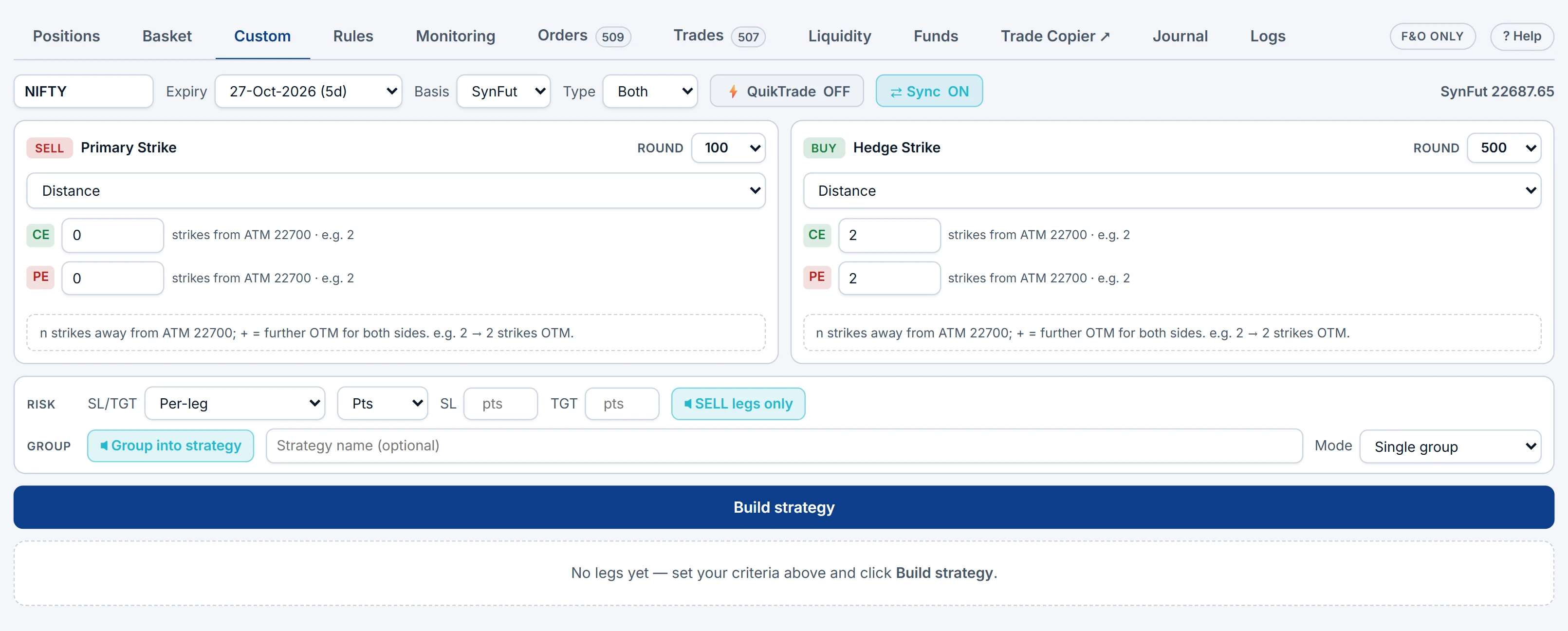
The Custom tab builds a sold leg and its hedge from rules rather than fixed strikes: strike, distance from ATM, premium, delta, straddle premium or underlying %, with separate CE and PE values and an ATM basis of spot, futures or synthetic future. The same recipe resolves to the right strikes on any day; review the built legs before sending.
From the option chain panel, B and S on a strike either open the ticket or drop the leg into the Basket. Turn QuikTrade on and B / S sends the order at once — one-click execution, for when you are certain of the account and size.
Order defaults and leg sequencing
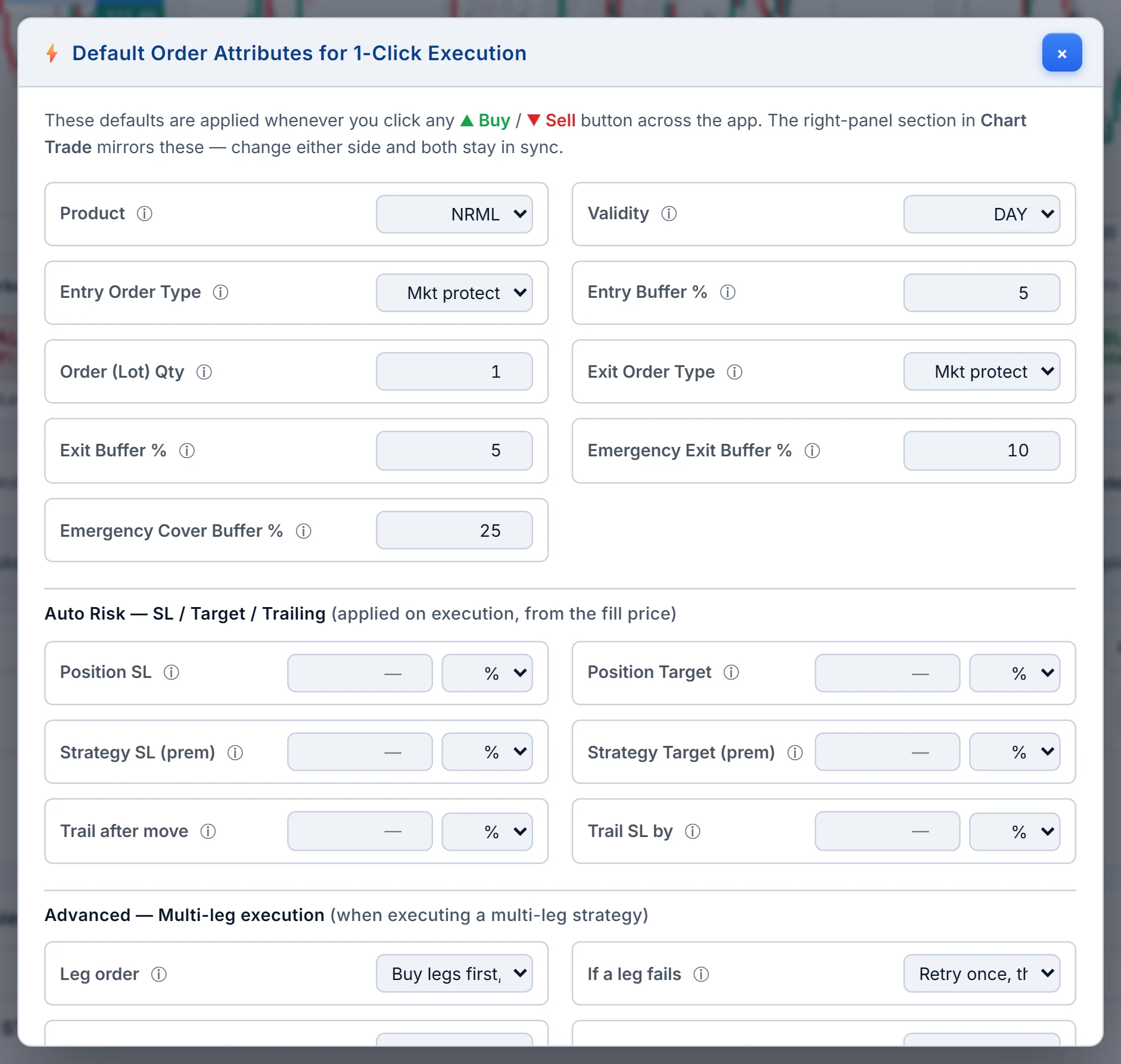
| Default | Options |
|---|---|
| Product, validity | MIS or NRML; DAY or IOC |
| Entry type and buffer % | The order type and protection buffer for new positions |
| Exit type and buffer % | The same for exits, set separately |
| Order lot qty | The default lots on order bars |
| Leg sequencing | buyFirst (default), sellFirst or simultaneous |
| Leg pace | Fire at once, or wait for the first phase to fill |
buyFirst puts your hedges on before your shorts. If the short goes first, the broker blocks naked margin for that moment, and the hedge that would reduce it has not landed; on a tight account the short can be rejected or the hedge can be. Exits mirror this — shorts are bought back before hedges are sold. A confirm-order preference shows instrument, side, lots, price and account before anything is placed.
The Liquidity tab, with arithmetic
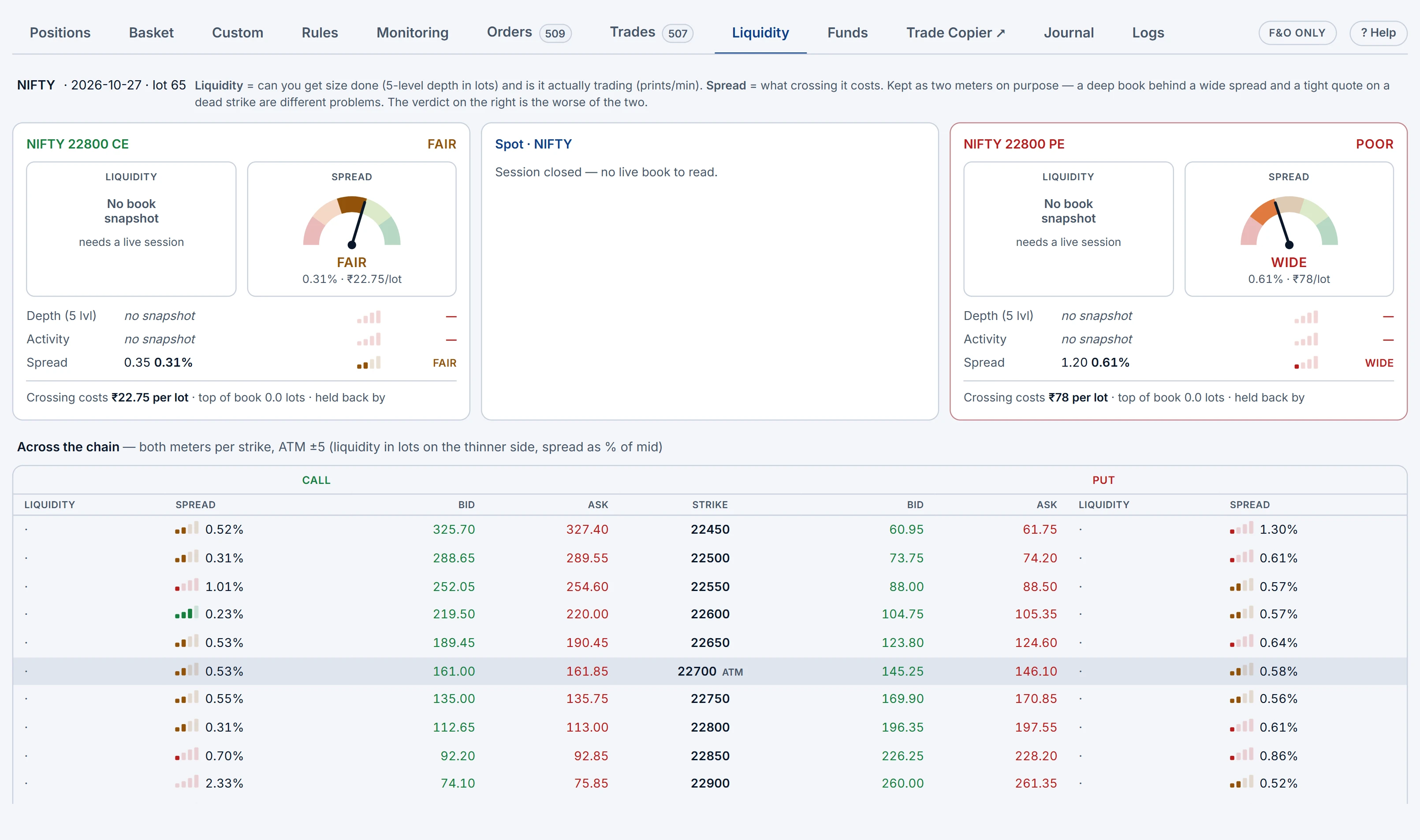
For each charted contract, and across strikes around ATM, two separate meters: Liquidity (five-level depth in lots, and prints per minute) and Spread (as % of mid and ₹ per lot). The verdict is the worse of the two, because a deep book with a wide spread and a tight quote on a dead strike are different problems.
Hypothetical: bid ₹101.50, ask ₹102.50, so mid ₹102 and spread ₹1. Spread % = 1 ÷ 102 = 0.98%. With a lot size of 75 that is ₹75 per lot every time you cross it. Twenty lots in and out costs about 20 × 75 × 2 = ₹3,000 in spread alone, before brokerage or slippage. If depth shows four lots on the best ask, a 20-lot market-style order walks the book. Split it, or pick a strike nearer the money.
Brokers, slots and static IP
The Brokers page connects real accounts. All major Indian brokers are supported — 100+ in all — and if yours is missing you can ask for it to be added. You complete the broker's own login and 2FA; the app never asks for your broker password. Each configured row shows broker, name, masked ID, static IP and logged-in status.
- Enable for trading — an account must be enabled before the Terminal, Strategy Builder or alerts can route orders to it.
- Static IP — brokers require API orders from a registered IP; the Static IP tab assigns one to an account. See static IP for API trading.
- Broker slots — one real account can be enabled at a time, plus any additional broker accounts you add (see pricing).
Demo accounts are listed too, always logged in.
Where to find them
- Open the QuikTrade Terminal; use + Place Order for the ticket and the Basket, Custom and Liquidity tabs.
- Order defaults live under the book's Settings → Edit defaults.
- Brokers is in the main menu; enable an account before trading on it.
Practise the whole flow on a Demo account first; the Terminal tour covers the rest of the desk.
Common questions
Why should hedge legs be placed before short legs?
So the broker sees the hedged position and blocks the lower margin. A short sent first is margined as naked until the hedge lands.
What is a protected market order?
A market-style order sent as a limit at LTP plus or minus a buffer percentage, so it fills quickly but cannot fill far from the screen price.
How do I check whether a strike can absorb my size?
Use the Liquidity tab: it shows five-level depth in lots, prints per minute and the spread in % and ₹ per lot.
How many brokers can I connect?
All major Indian brokers are supported, 100+ in all. One real account can be enabled at a time, plus any additional broker accounts you add.
What does QuikTrade mode do?
With QuikTrade on, B or S on the option chain sends the order immediately instead of opening the ticket or adding to the basket.
More on QuikTrade Terminal
More in QuikTrade Terminal · App: QuikTrade Terminal · Definitions: glossary · All: every article