What Ask AI sees on the Terminal
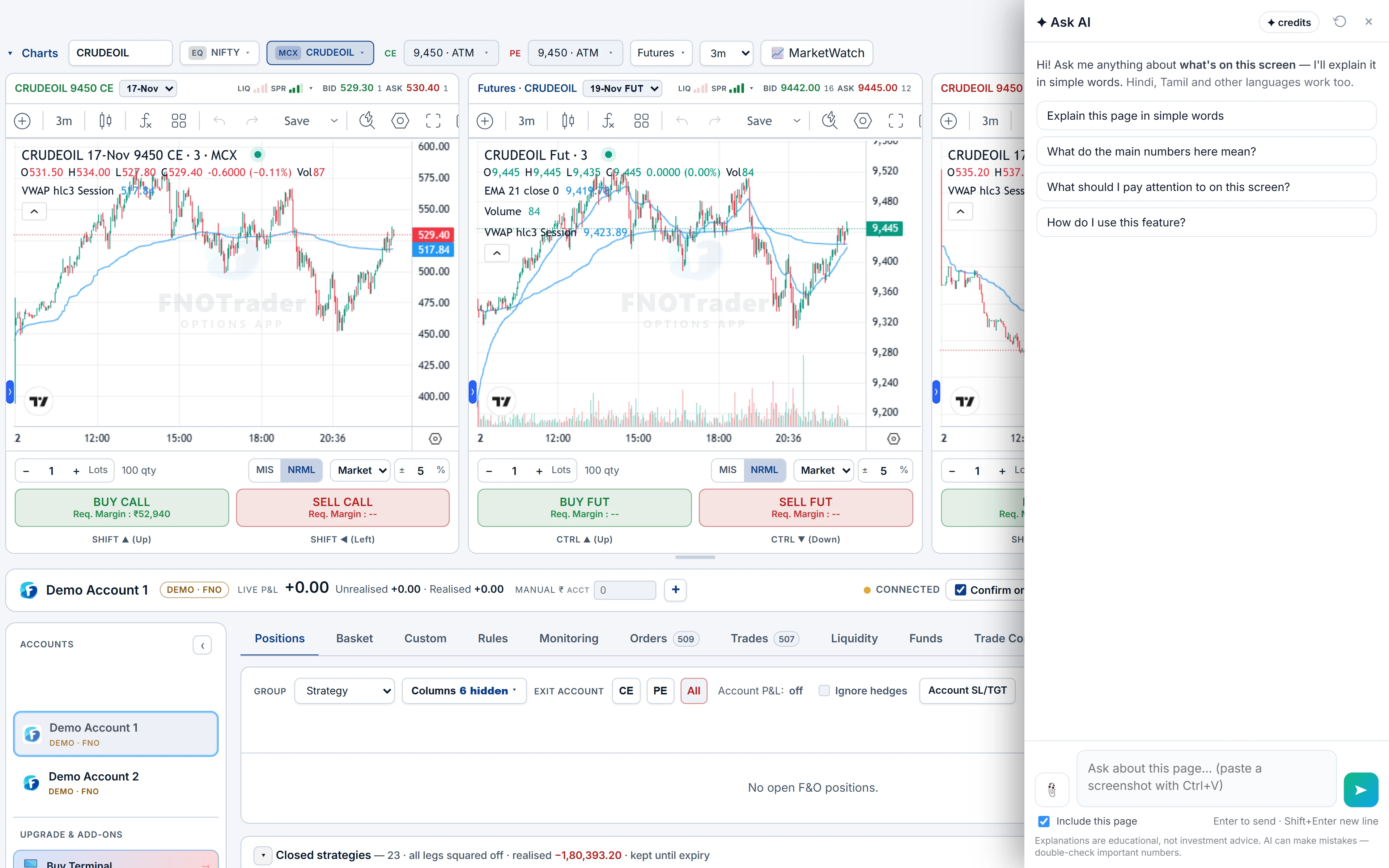
The Terminal page hands Ask AI a compact, read-only view of the account selected in the topbar.
| Sent | Detail |
|---|---|
| Positions | Symbol, net quantity, average price, live LTP, unrealised and realised P&L for each |
| Totals | The P&L split the same way the header shows it |
| Open orders | How many are open, pending or waiting on a trigger |
| Account | The broker name, and whether it is a Demo (paper) account |
| Screen text | The visible text of the page, alongside the above |
It does not receive your broker login, your funds or other accounts. More on what is sent in how Ask AI reads your screen.
What it can and cannot do
It can explain: where the day's P&L is coming from, which leg carries the most risk, how a realised and unrealised split arose, what a combined position looks like as a strategy, and what a move in the underlying would roughly do to it.
It cannot place, modify, exit or cancel an order, change a stop or switch accounts. Every order still goes through the Terminal's own order panel and confirm step. That is a design rule of the assistant, not a setting.
Alert questions are an exception worth knowing: ask “alert me when…” and the Options alert guide comes along, so the answer can fill the Create alert form for you to check and save — see Ask AI in the Options App.
Questions that work
- “Summarise my open positions and where the P&L is coming from.”
- “Which of these legs carries the most risk?”
- “Explain the realised and unrealised split here.”
- “What does my book look like as a strategy — is it short a straddle?”
- “Roughly what happens to my positions if NIFTY falls 1% today?”
- “Am I on a demo account or a live one right now?”
- “Why does this position show realised P&L when it is still open?”
Each one contains my, these, here or this, which is what makes the assistant read the book rather than answer in general terms.
A worked example: realised P&L on an open position
Say the book shows NIFTY 24000 CE, net quantity −75, average ₹120, LTP ₹100. Earlier you sold 150 at ₹120 and bought back 75 at ₹90. Example numbers.
Ask: “Why does this position show realised P&L when it is still open?”
The answer walks through it: the 75 bought back were sold at ₹120 and covered at ₹90, so (120 − 90) × 75 = ₹2,250 is realised. The 75 still short are marked against the live price: (120 − 100) × 75 = ₹1,500 unrealised. Total ₹3,750, and only the second part can still change.
The follow-up worth asking: “What would my total be if this LTP went back to 120?” — the unrealised part falls to zero and ₹2,250 remains.
Limits
- Read-only. No orders, exits, stops or settings.
- Not advice. It explains risk on the book; it does not say whether to hold or exit.
- A snapshot. It reads the book when you send the question. Ask again after the market moves.
- Estimates are rough. A what-if on a 1% fall uses the numbers on screen, not a full repricing. Use the payoff in the strategy builder for exact figures.
- Credits. Answers use AI credits; see /pricing.
How to open it
- Open the Terminal and pick the account in the topbar.
- Click the Ask AI button at the bottom-right of the page.
- Ask about the book. To ask about one row only, highlight it first.
The Terminal's own features are covered in the terminal overview and demo trading.
Common questions
Can Ask AI exit my positions in the Terminal?
No. It cannot place, modify, exit or cancel orders. It only explains the positions on screen.
Does Ask AI see my broker account?
It sees the positions, P&L and open-order count of the account selected on the Terminal page, and the broker's name. Not your login or other accounts.
Does it know if I am on a demo account?
Yes. The page tells it whether the selected account is a Demo (paper) account.
Can Ask AI set an alert from the Terminal?
It can fill the Options Create alert form when you ask 'Alert me when…'; you review it and press Create alert yourself.
Why is part of my P&L realised on an open position?
Any quantity already closed is realised; only the remaining open quantity is marked to the live price. Ask Ask AI on the Terminal to walk through your own numbers.
More on QuikTrade Terminal
More in QuikTrade Terminal · App: QuikTrade Terminal · Definitions: glossary · All: every article