What Ask AI sees in the Stocks App
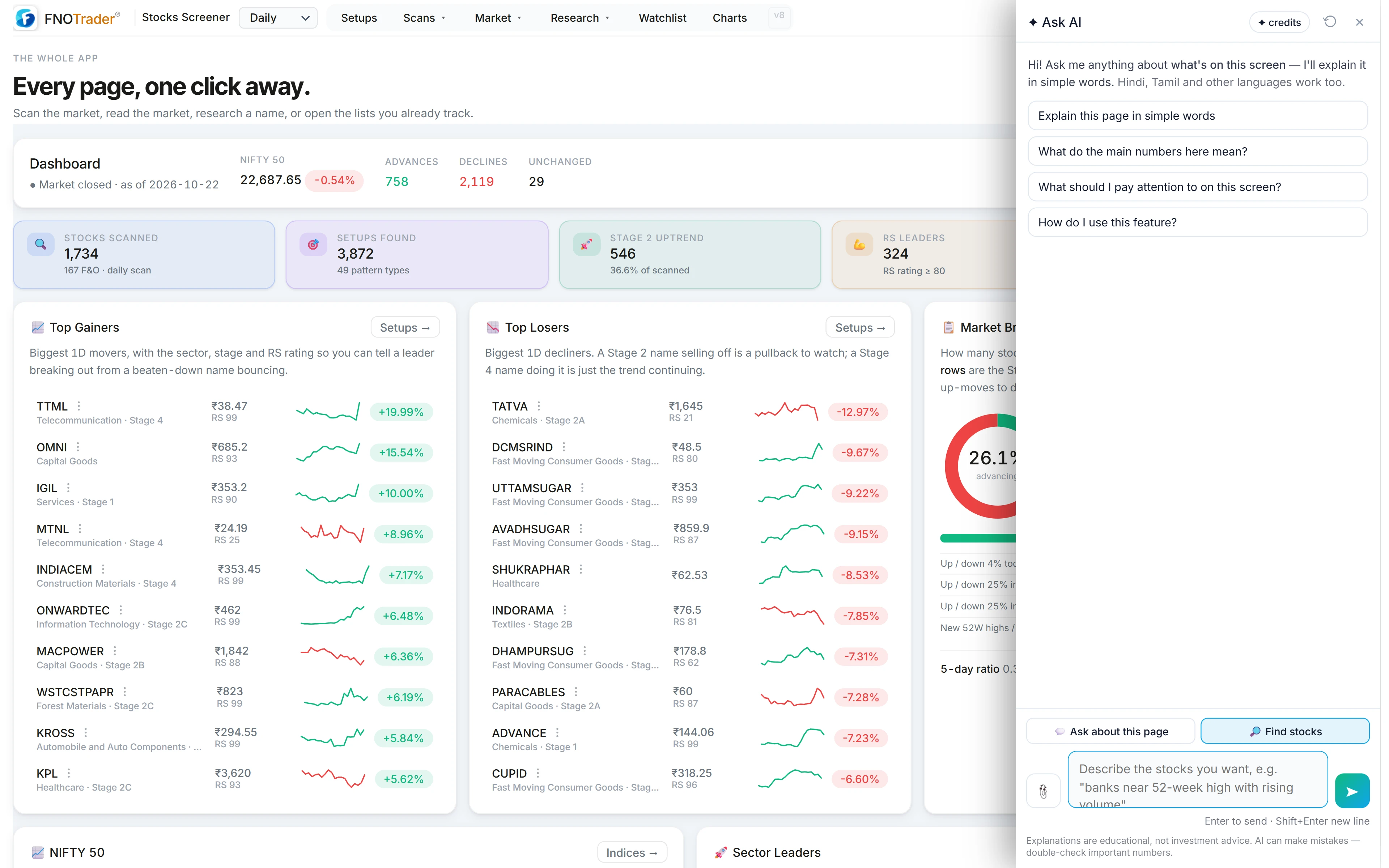
Open the panel in the Stocks App and you get two buttons above the box: Ask about this page and Find stocks. Only this app has the second one.
In Ask about this page the assistant reads the visible text: the setup or scan table, the breadth monitor, a stock's fundamentals and earnings panel, the sector and RRG pages. Charts are images, so attach a screenshot for a chart question. More in how Ask AI reads your screen.
Highlight a row before asking and the selection is sent first, so a question about one stock in a long table stays about that stock.
In Find stocks the page is not sent at all; the “Include this page” box disappears. Your sentence goes to the screener instead.
Find stocks: a screen from a sentence
Describe what you want — “banks near their 52-week high with rising volume”. Ask AI writes a Custom Query, and the Stocks app's own engine runs it. If the engine rejects the query, its error goes back for a corrected one, up to three tries.
The answer shows a one-line explanation, how many stocks matched out of the universe scanned, up to the first ten names, the query itself, and an Open in Stocks button for the full list. If you are on a weekly or monthly view, that timeframe is used and shown. It is charged only when a query actually ran.
This is the panel version of the “Ask AI in English” line on the Query page, which fills the query box directly; that one is covered in a stock screen from a sentence. Read the query either way: “near the high” became a number someone chose.
Questions that work, page by page
| Page | Ask (Ask about this page) |
|---|---|
| Setups | “Why would a stock appear in this setup?” · “Which of these have the strongest relative strength?” |
| Any table | “What do these columns mean?” |
| Breadth | “Summarise this breadth reading.” |
| Fundamentals | “Explain this stock's latest results in plain words.” |
| Sectors / RRG | “Which sectors here are improving and which are weakening?” |
Keep the screen word — this, these, here. “What is RS rating?” without one gets a short definition and skips your table. Find stocks requests need no screen word; they never use the page.
A worked example: from a list to a screen and back
On the Setups page, ask: “Why would a stock appear in this setup?” The answer reads the setup's name and columns and explains the rule in plain words, for instance a tight range just under a prior high.
Switch to Find stocks and type: IT stocks within 5% of their 52-week high with volume above average. Suppose it reports 7 of 1,800 matched. Example numbers. The query is printed under the count.
Seven is a small list. Edit the sentence to “within 8%” and ask again, or open it in Stocks and change the number in Custom Query, which uses no credits. See the Custom Query language.
Limits
- Screens use screener fields only. News, intraday charts and fields the engine lacks cannot be screened; the explanation says what was left out.
- No recommendations. A match is a filter result, not a buy list.
- ETFs and indices live on the ETF page, not in stock screens.
- Credits. Both modes use AI credits; see /pricing.
How to open it
- Open the Stocks App and click the Ask AI button at the bottom-right.
- Pick Ask about this page or Find stocks above the box.
- For Find stocks, press Open in Stocks to see the full list.
Common questions
What is Find stocks in Ask AI?
A Stocks-only mode that turns an English request into a Custom Query, runs it on the Stocks engine and shows the match count, the first names, the query and a link to the full list.
Is Find stocks charged if it fails?
No. It is charged only when a query actually ran.
Why didn't Ask AI read my scan table?
Either Find stocks mode was on, which never sends the page, or the question had no screen word. Use Ask about this page and include 'this' or 'these'.
Can I change the query Find stocks wrote?
Yes. Open it in Stocks and edit it in Custom Query like any query you wrote yourself.
Does Find stocks use my weekly or monthly view?
Yes. If the page you are on is set to weekly or monthly, that timeframe is passed along and shown next to the query.
More on Stocks App
More in Stocks App · App: Stocks App · Definitions: glossary · All: every article